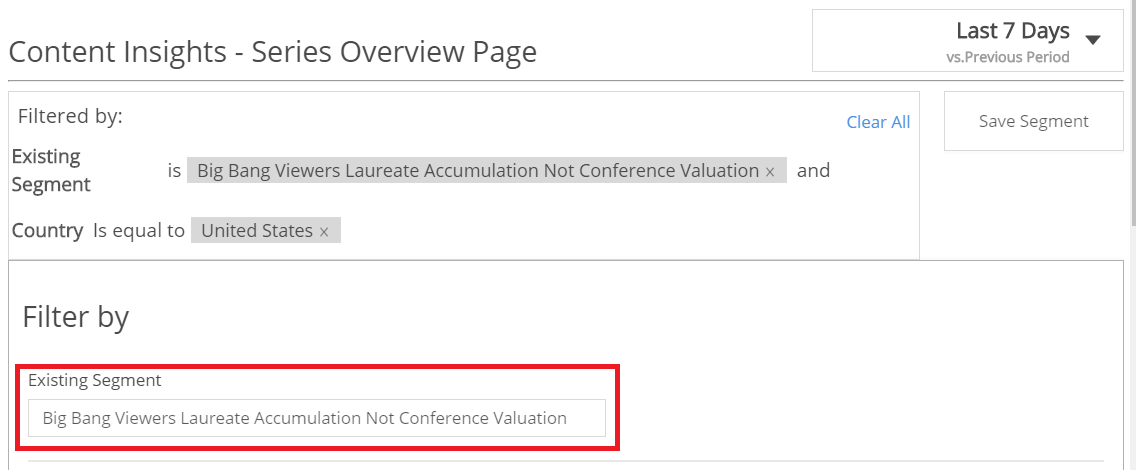
Complex Segments
Audience supports advanced data segmentation and joining of Conviva's behavior segments to help you query complex viewership behaviors. The combined segments can be applied to to refine the viewership focus, and also exported out of Audience for offline use of complex with DMP or other segments.
Within each tab of the segment settings, multiple options appear for logic OR data mapping. Across the different segment setting tabs, each tab provides a powerful option for including AND logic data selection across the entire segment.
For example, discover viewers that were highly engaged during an episode, but failed to engage in the subsequent episode.
Build Complex Segments | Example Complex Segment (Cross-Episode Engagement).
Build Complex Segments
To build complex viewer segments:
-
In the Audience menu, click Viewers and then click Segment Overview.
-
Click Create Segment and then click Create New Segment.
-
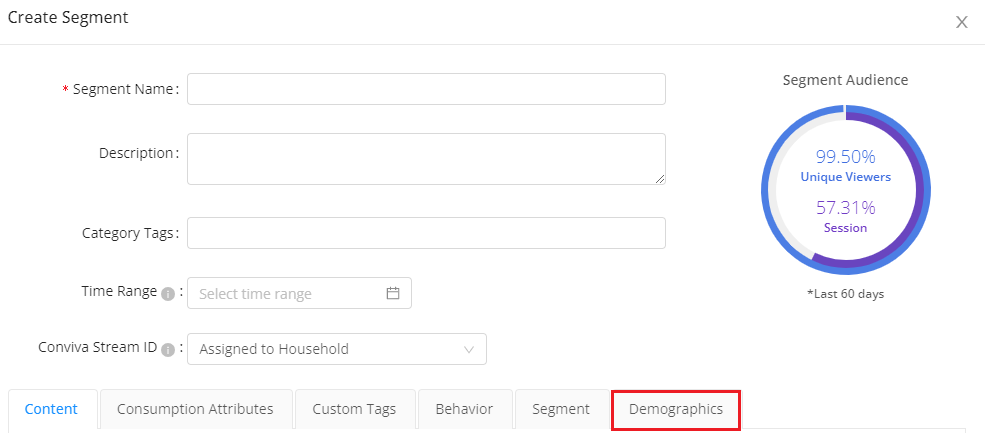
In the Create Segment window, enter the segment name and other optional information.
-
Select the segment options that are applicable to your analysis.
Each segmentation option lists the option attributes and qualifying expressions to be applied to the segmentation. The segmentation options are applied using logical AND operations. Also, within each option you can apply additional expressions, using logical OR operations.
Tip: Use the minus sign to remove expressions which are not required.
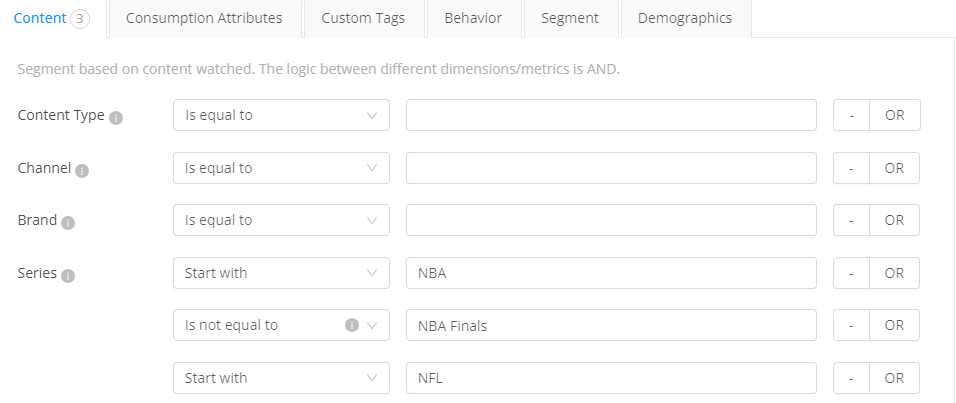
For example, within the Series segment options, these settings focus on viewers of any NBA series that excluded watching the NBA Finals, but included watching any NFL series.
Note: Segments are calculated only with valid Viewer IDs.
These series settings include viewers who watched the NBA, and did not watch the NBA finals, and watched any NFL content.
-
For Content segmentation, specify the segment settings based on the content watched.
-
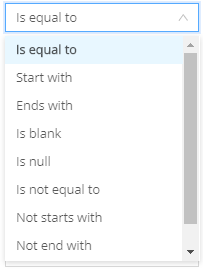
For these options, you can use the following expressions.
-
-
Series Type
-
Channel
-
Brand
-
Series
-
Episode
-
Episode Number
-
Category
-
Genre
-
Affiliate
-
For Consumption Attributes segmentation, specify the segment settings based on the consumption pattern.
-
DMA
-
Country / Region
-
State
-
Screen Type
-
Device Type
-
Day of Week
-
Content Day Part (local time)
-
-
For Behavior segmentation, specify the segment settings based on the viewer behavior.
-
First Watched
-
Last Watched
-
Days between First and Last Watched
-
Days Since Last Play
-
Number of Unique Assets
-
Total Playtime
-
Mins per Session
-
Total Devices
-
Total Plays per Day
Note: For First Watched and Last Watched, specify the day or day range, For the other options, you can use these expressions =, <, >, =<, =>.
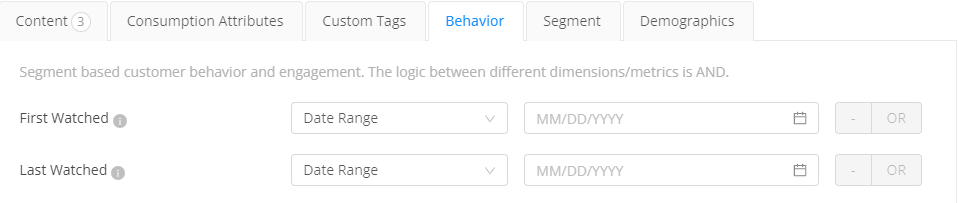
If you choose behavioral attributes along with positive conditions to create a complex segment, note that Audience performs the steps to calculate the viewers:
1. Find out sessions that match positive attribute conditions.
2. Calculate the viewers' behavioral condition based on the number of sessions. -
-
For segmentation based on existing segments, choose the segments to apply.
-
For Demographic segmentation, choose the values on which to apply segmentation.
-
Household Income(s)
-
Gender
-
Age Range
-
Marital Status
-
Parental Status
-
Education Level
-
Homeowner
-
Household Size
-
Example Complex Segment (Cross-Episode Engagement)
One use case for complex segmentation is to discover the set of viewers that were highly engaged in one episode, but then failed to engage in the subsequent one. This viewer set has a high potential for re-engagement.
To discover the viewer set across episode engagement:
-
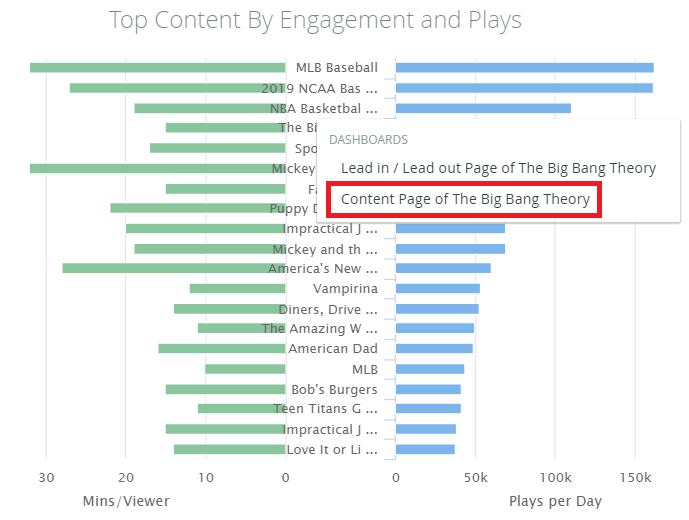
On the Series Overview page in the Top Content By Engagement widget, click a series and select the Content Page of the series.
-
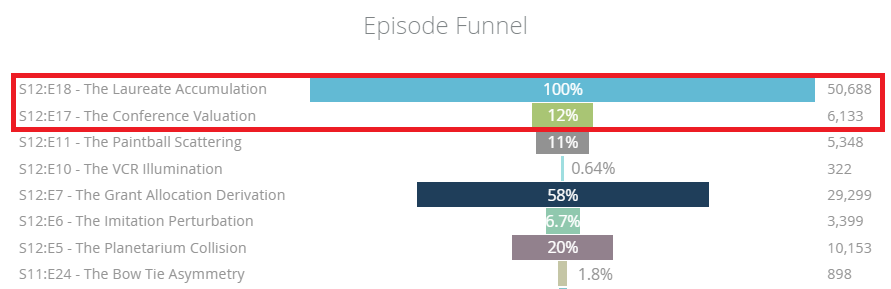
In the Content Page, use the Episode Funnel to analyze viewership across episodes to find viewership gaps. In this case, the episode The Laureate Accumulation had the most viewership, while viewership dropped for the episode The Conference Valuation.
The goal is to discover the viewers that were engaged during the Laureate Accumulation episode, but did not engage with the Conference Valuation episode.
-
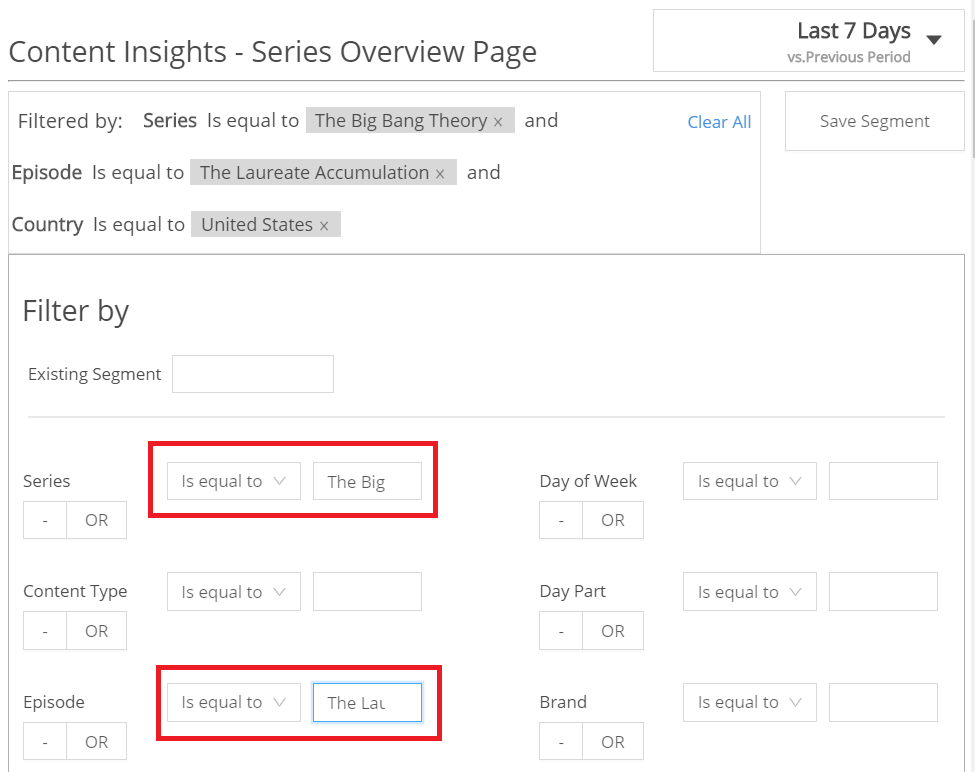
Create a segment for the top episode viewers. Click the filter box and modify the segment settings:
- Series is equal to The Big Bang Theory
- Episode is equal to The Laureate Accumulation
-
Click Save Segment.
-
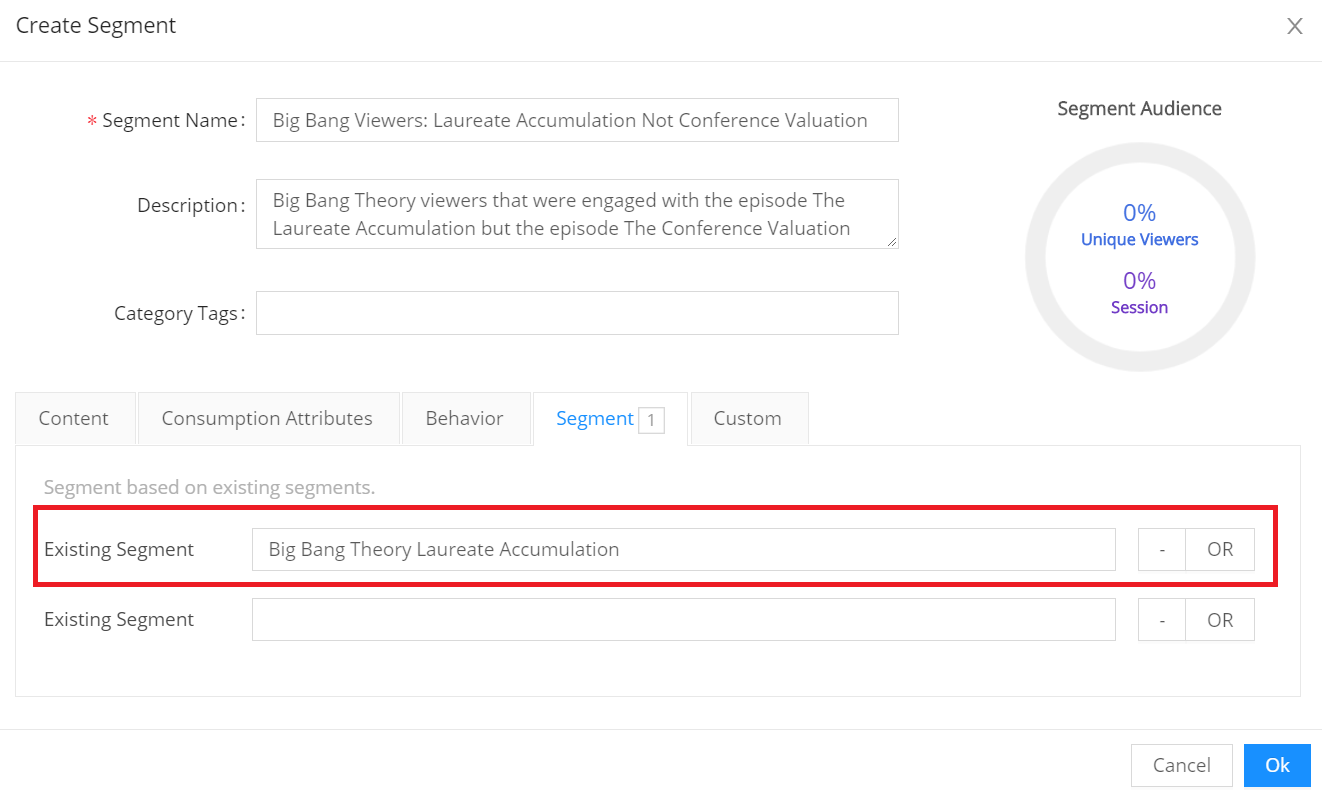
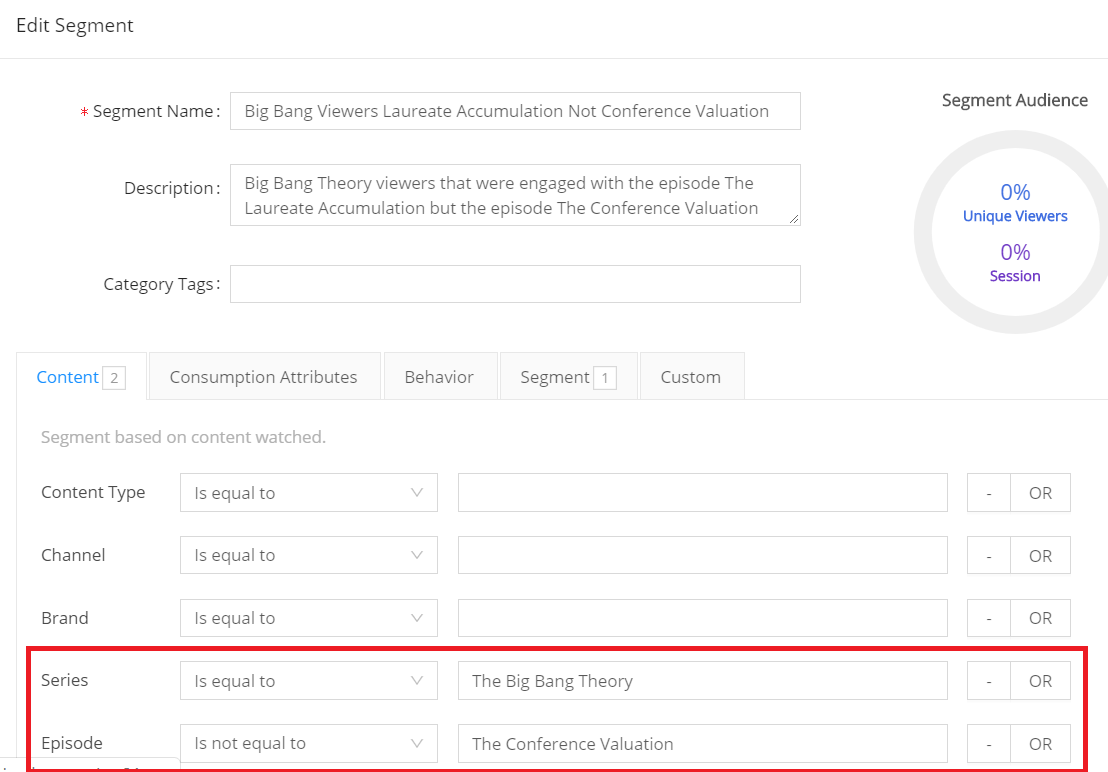
Create a complex segment for the set of viewers that watched the main episode, but not the other episode. The segment setting tabs provide a powerful tool for including AND logic across the segment settings.
In this example, these segment settings contain two parts:
- Existing segment settings selection for viewers that watched the main episode
-
Content settings selection for viewers of the series that did not watch the follow up episode
Segment Settings: Existing Segment
Segment Settings: Content
-
Save this segment and apply this existing segment to pages, such as Series Overview, to analyze this segments viewing behaviors.