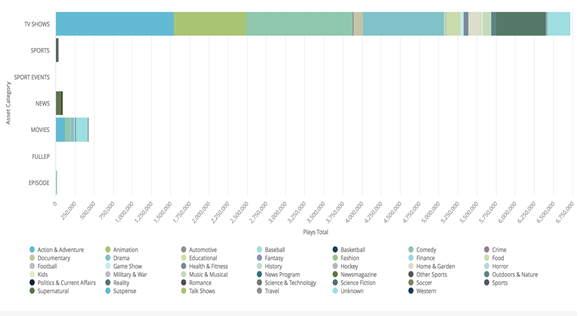
Audience Scenario—Analyze Data for Content Licensing Decisions
Audience provides viewership data that can be used to support content licensing decisions. Typically, this process starts with creating viewer segments for a specific content asset, or group of assets, and range of episodes. Then, data sets for viewership patterns and pathing trends can be created to show the impact of the asset episodes based on Content Insight metrics, such as total minutes, plays, binge ratio, and others. These data sets and correlations can help build understanding of asset values and align negotiation strategies with your viewership data.
Scenario—Creating New Segments and Build Analytic Workbench
From a behavioral dashboard, such as Series Overview:
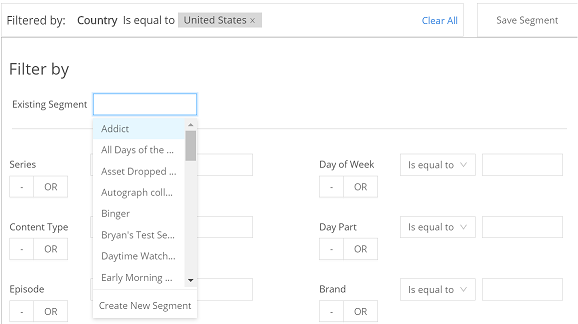
- Click in the existing Segment text box
-
Select Create New Segment. You can also choose to modify an existing segment.
-
Enter the segment details that best describe the target set of viewers in the Create Segment area. See Segments for more details about the segmentation options.
In the Analytics Workbench, set up a custom data analysis to highlight the target viewership.
For example:
- Filter: Device Type
- Dimension: Asset Category, Asset Genre, custom tags
- Metrics: Viewer Count
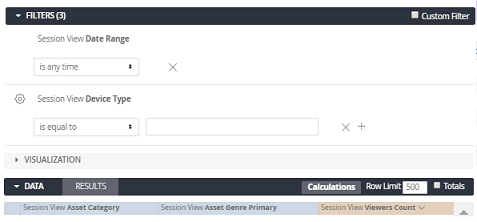
Use Visualization options to display the results to gauge the impact of assets and episodes on overall viewership. As more custom tags become available to you, you can create more complex viewer data sets that help you discover the key drivers of content (e.g., actors, themes, other attributes of interest (local sport teams and stations to acquire).