LeadIn LeadOut Page
A Path is a sequence of up to three, continuously watched content within a single sitting. For more information, see Sitting.
The LeadIn LeadOut page illustrates the series paths so you can quickly gain insights into which assets lead in to and out of the selected series. This data can help you determine affinities with other similar series that promote pass-throughs and 'lighthouse' assets that increase viewership. You can also monitor your viewers' pathing decisions across the selected series to note drop-offs and other series related behaviors.
This dashboard contains the following data areas:
Interval and Filter Settings
The default interval is Last 7 Days. Click the drop-down to customize the intervals for the current interval and the comparison interval. See Intervals for more details.
The filter bar shows the current filter settings and the Create Segment button.
Click the filter bar to create and modify filters.
Lead In Paths
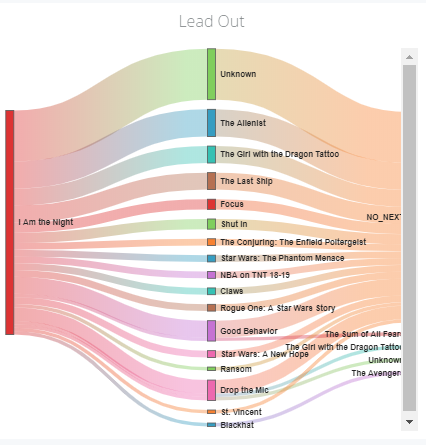
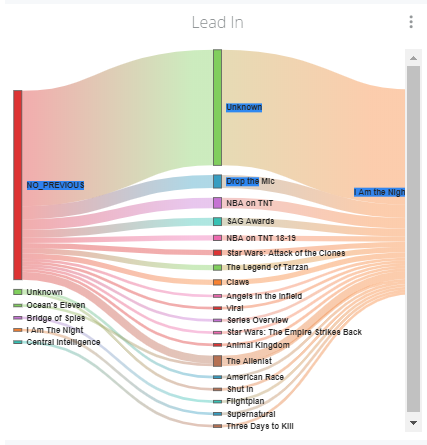
The color-coded lead-in paths illustrate the content viewing decisions that lead to the selected series being watched.
Mouse over paths to display the pathing data between assets.
Lead Out Paths
The color-coded lead-out paths illustrate the content viewing decisions that occurred after the selected series was watched.
Mouse over paths to display the path ing data between assets.