Channel Pathing Dashboard
A Path is a sequence of up to three, continuously watched content within a single sitting. For more information, see Sitting.
The Channel Pathing dashboard illustrates the channel paths used by your viewers so you can quickly gain insights into which channels lead to content pass-through and drop-offs, discover affinities between content and channel use, and determine if channel use led to 'lighthouse' assets that increased viewership. You can also monitor the pathing decisions across channels for the selected viewer segment.
Interval Settings
The default interval is Last 7 Days. Click the drop-down to customize the intervals for the current interval and the comparison interval. See Intervals for more details.
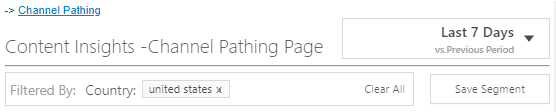
The filter bar shows the current filter settings and the Save Segment button.
Filters
You can use the filters on every page of Audience to select dimensions that allow you to narrow your focus to include video sessions that match certain attributes. For more information, see Using Filters.
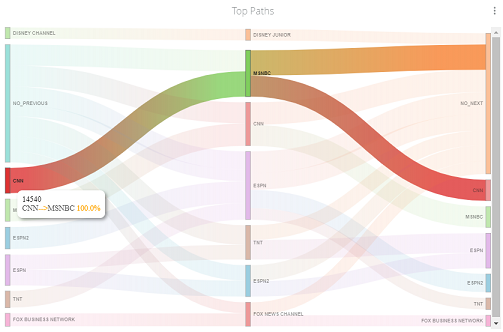
Top Paths
The color-coded paths illustrate the channel selection decisions within the selected segment. Mouse over paths to display the pathing data between assets. For example, this sample pathing diagram shows that 7.6% of the TBS viewers came from no previous channel use.
Mouse over the channel markers to display the channel pathing for that channel.