
Conviva Connect enables self-service delivery of Metrics and Dimensions over the Connect APIs and MCP, per-minute multi-dimensional metrics through MDDI, and session-level data feeds to a cloud storage bucket on an hourly or daily schedule.
Explore Conviva Connect
Connect APIs
Programmatic access to Conviva data via the public REST API.
Data Feeds
Scheduled delivery of session, ad, flow, and event data to your storage bucket.
Connect MCP
Access Conviva data through the Model Context Protocol for AI agents.
Connect MDDI
Per-minute Video metrics for the top cohorts across combinations of dimensions, delivered to your Amazon S3 bucket.
Get Started with Conviva Connect
-
Enable Conviva Connect. Reach out to your Conviva representative to enable Conviva Connect.
-
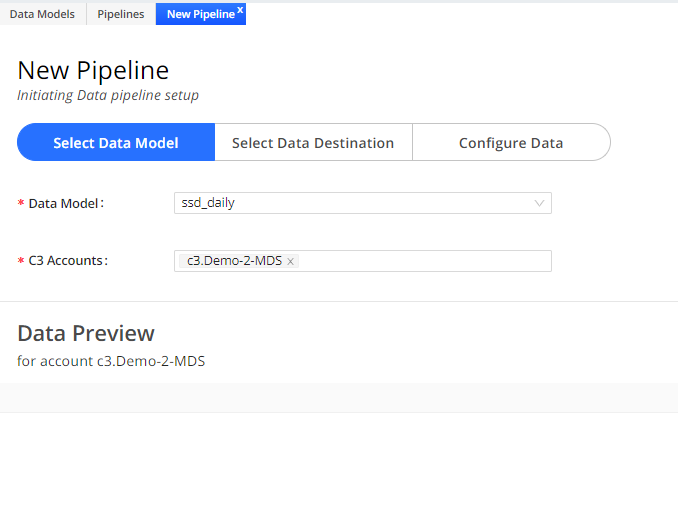
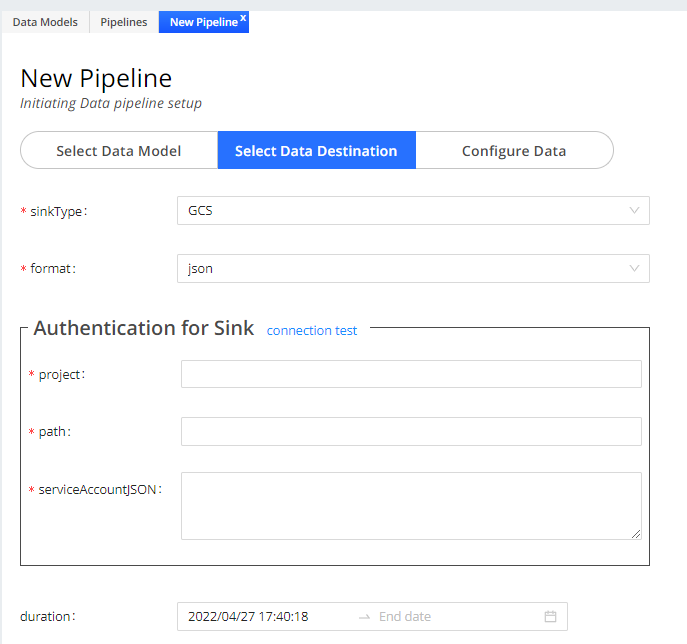
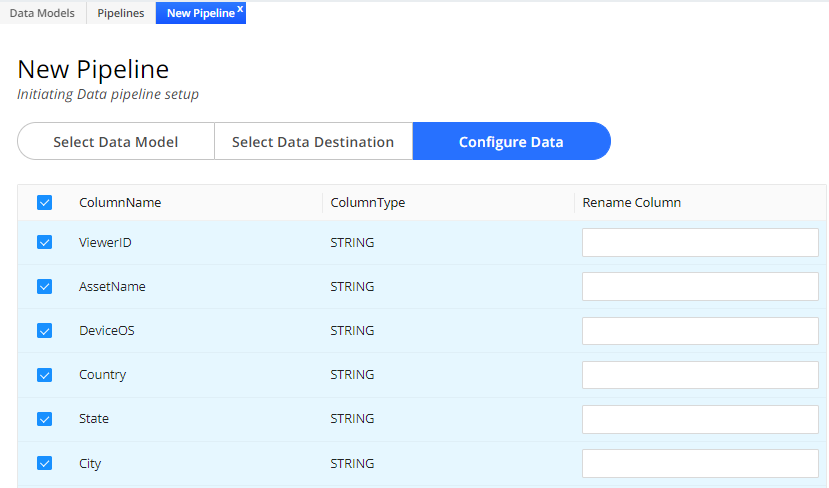
Configure Conviva Connect pipelines in Pulse. From the Conviva Connect page, select New Pipelines to set the pipeline data model, destination, and data.
-
Get the data. Conviva delivers your data to your cloud storage bucket on an hourly or daily schedule, in CSV format (per RFC 4180). Each file is paired with a
.manifestfile that carries the metadata for that delivery.