
Ad Details Page
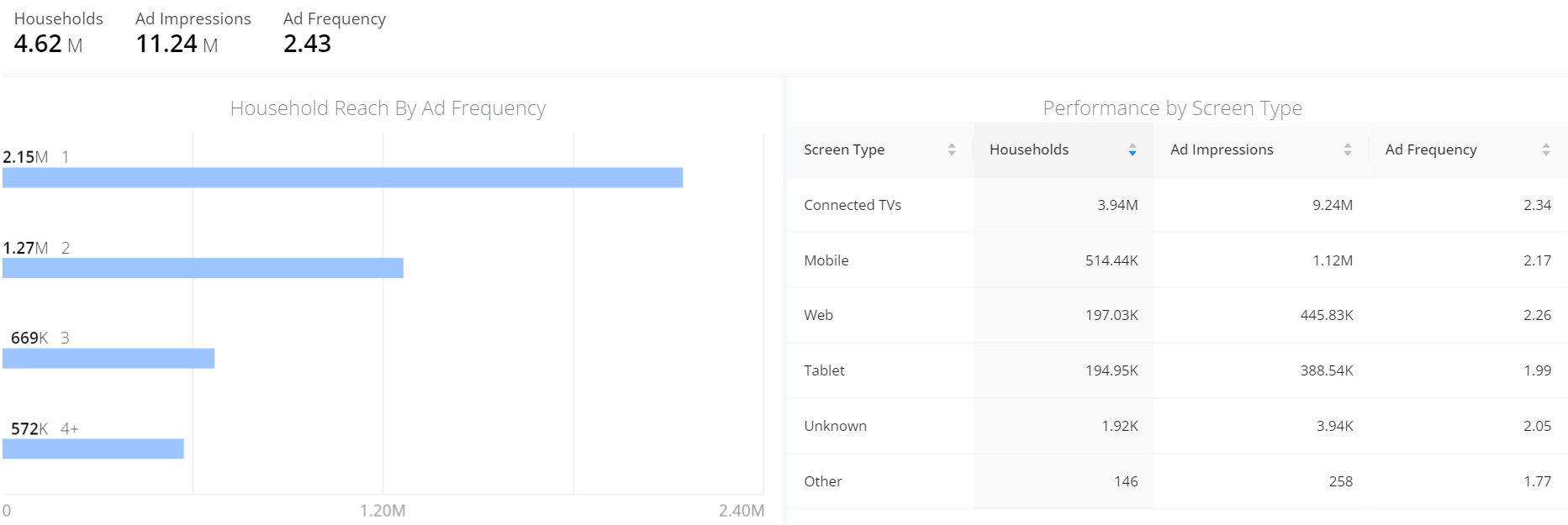
The Ad Details page displays a high-level view of your ad's reach, frequency, and impression delivery across device, content, and audience demographics. This data can help you measure target audience reach by resident and household demographics, along with ad performance by ad impressions and frequency.
To access Ad Campaign Details, in the Audience application menu, select Ads and click a specific ad placement.
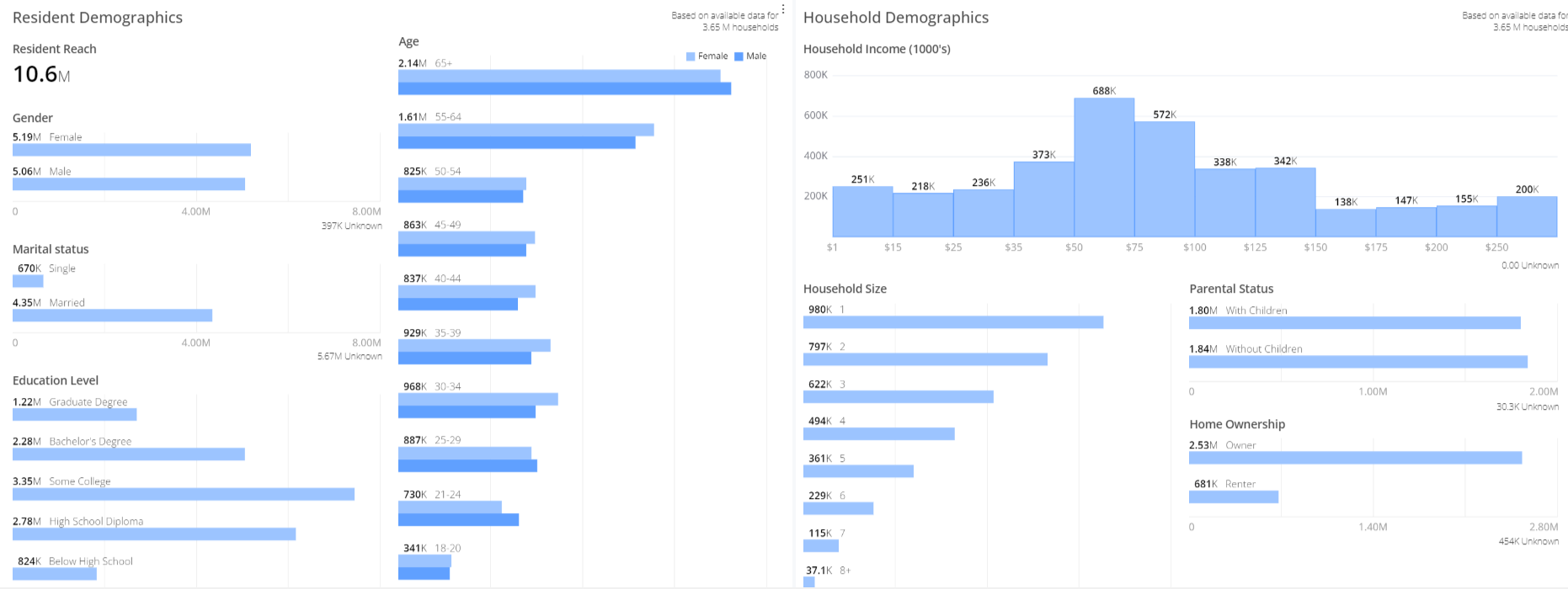
Resident Demographics
The demographic data represents residents within the unique households, to help you identify and understand the key resident-level demographics of the residents within the household, such as gender, age, and marital status. The total number of residents is determined by the number of residents per household, for example, 387k residents make up 131k households.
Household Demographics
The demographic data for household shows the data for unique households, to help you identify and understand the key characteristics of household-level demographics, such as income, the number of residents, and parental and ownership status.
Ad Reach Build
The Ad Reach Build table provides you with valuable insights into the ad reach data for each day within a specified date interval. It displays essential information, including cumulative impressions and cumulative unique reach. This table enables you to quickly access ad reach data so you can report ad reach build metrics with your advertiser clients. You can use the data to monitor the progress of ad delivery and determine whether declines in viewing indicate a trend of diminishing returns. For example, a continual decline in cumulative unique reach indicates a trend of diminishing returns.
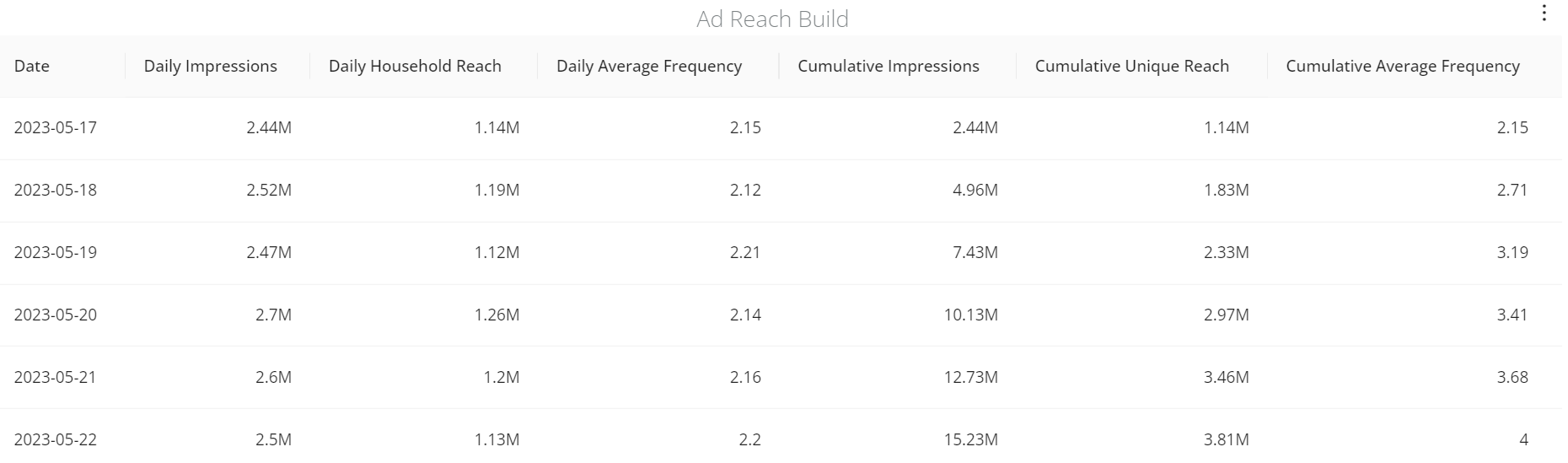
The table shows the definitions of columns.
| Column Name | Definition |
|---|---|
| Daily Impressions | The counts of total impressions for the day. |
| Daily <primary ID> Reach | The counts of unique reach for the day, where <primary ID> is substituted for either Household, the configured viewerID label or App, based on the primary ID configuration for the c3 account. |
| Daily Average Frequency | The Daily Impressions divided by the Daily Reach. |
| Cumulative Impressions | The cumulative count of impressions day over day. |
| Cumulative Unique Reach | The cumulative count of unique viewers reached from the start of the date interval. |
| Cumulative Average Frequency | The Cumulative Impressions divided by the Cumulative Unique Reach. |
Download Data
You can download the data set that is displayed on the widgets to perform additional analysis. Click the kebab icon on the top right of the widget, and then click Download Data.
The Download window is displayed with various customizations for you to choose from.
The default file format is TXT.
You can also choose one of these file formats:
- Excel
- CSV
- JSON
- HTML
- Markdown