
SEI Integration Tool
This section lists the release notes for the recent Conviva SEI Integration releases.
August 13, 2025
-
Enhances the Required Metadata:
-
The Live or VOD metadata is renamed to Content Category (isLive)
-
The Content Category metadata is renamed to Category Type (c3.cm.categoryType)
-
More Details: Apps dashboard.
January 23, 2025
Introduces a note at the top of the report and the PDF/Excel exports if at least one testcase is failed.
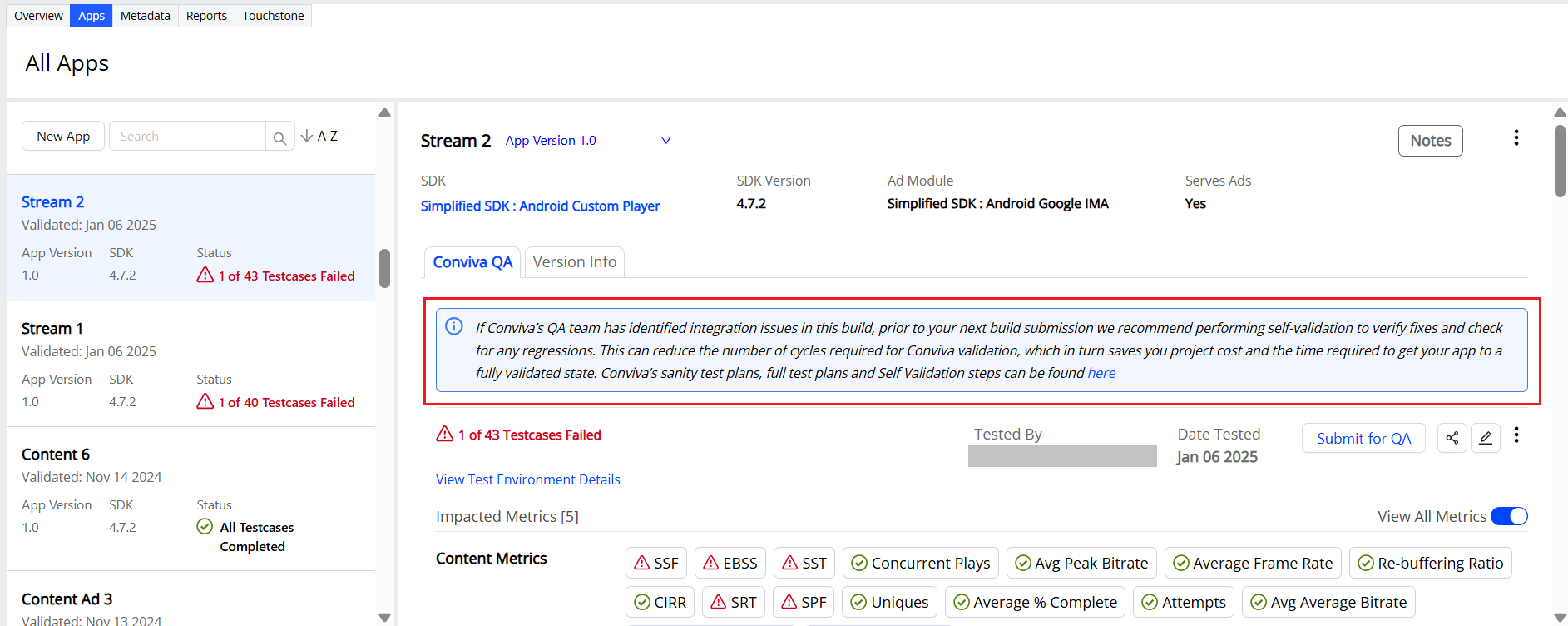
More Details: Apps dashboard.
January 09, 2025
Enhances the metric names in the Apps and Report tabs depending on the customer type.
For example,
-
Video-only customers see the metrics labeled as "VSF" (Video Start Failure), "VST" (Video Start Time), "VPF" (Video Playback Failure), and so on.
-
Stream-only customers see the same metrics labeled as "SSF" (Stream Start Failure), "SST" (Stream Start Time), and "SPF" (Stream Playback Failure).
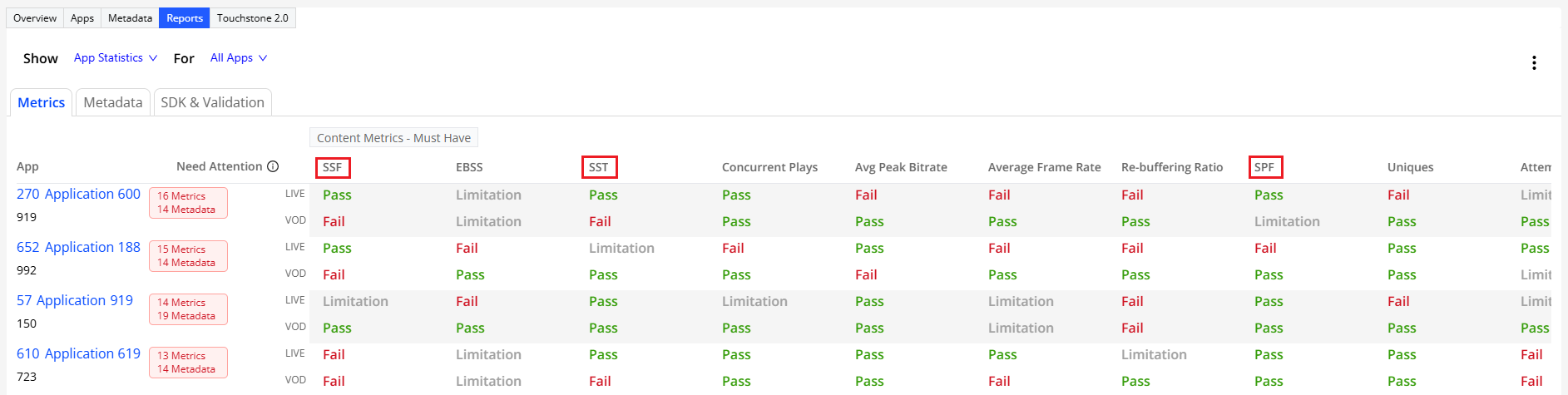
More Details: Reports dashboard.
November 21, 2024
Introduces the Content and Ad tags to display custom metadata types in the Apps, Metadata, and Reports dashboards of video integration.
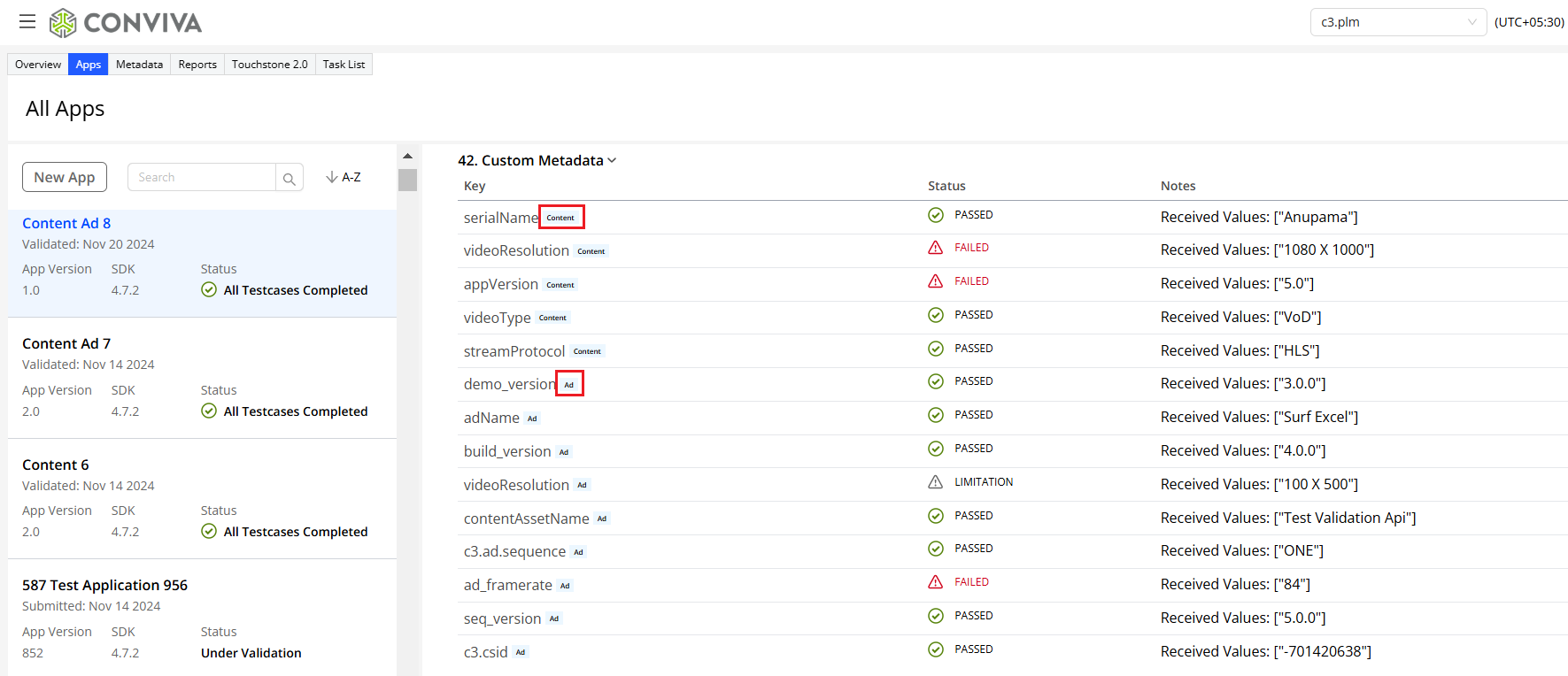
More Details:Custom metadata in Apps dashboard.
September 27, 2024
Introduces the Share Report option for copying the dashboard link to clipboard and sharing the test results with other users.
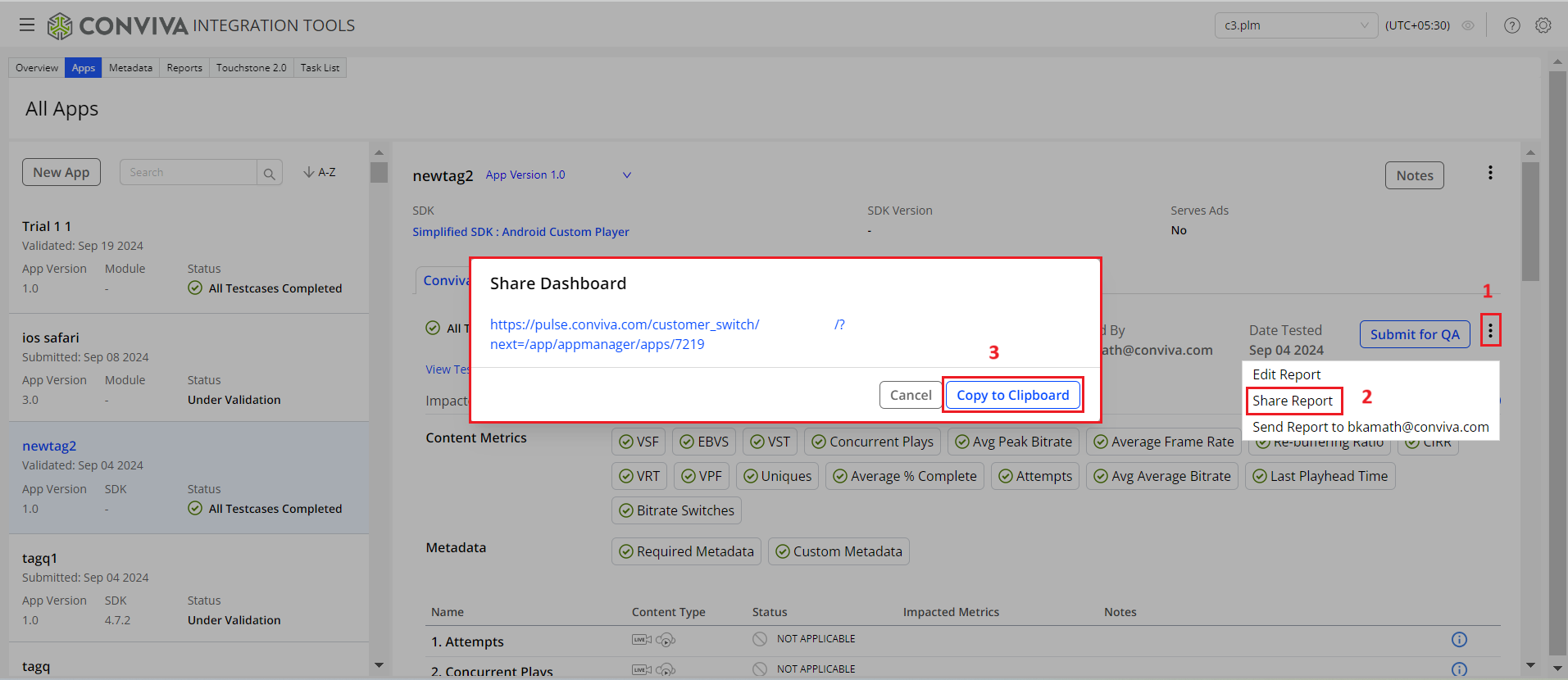
More Details:Share Apps Dashboard.
April 11, 2024
-
Introduces a new hierarchical menu structure for Integration Tools. As part of this improvement, the existing App Manager is renamed to Video Integration, and Sensor Integration is replaced with App Integration.
Before
After
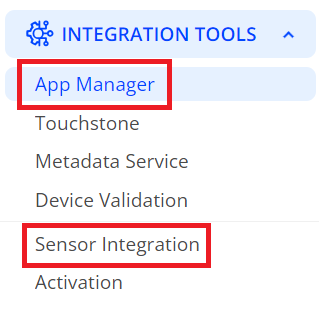
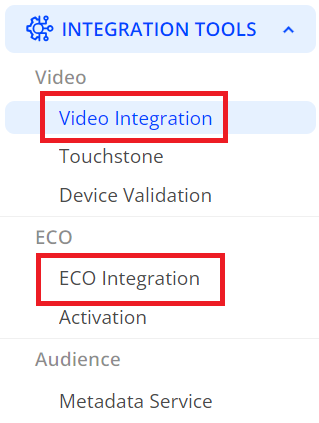
-
Introduces a new tab in Video Integration for accessing Touchstone 2.0 (Beta) version. This tab appears for only selected Touchstone 2.0 customers, allowing them to experience seamless self-validation of SEI sensor integration within Pulse without switching environments.
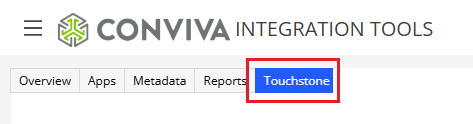
More Details:Touchstone 2.0 Help.
June 29, 2023
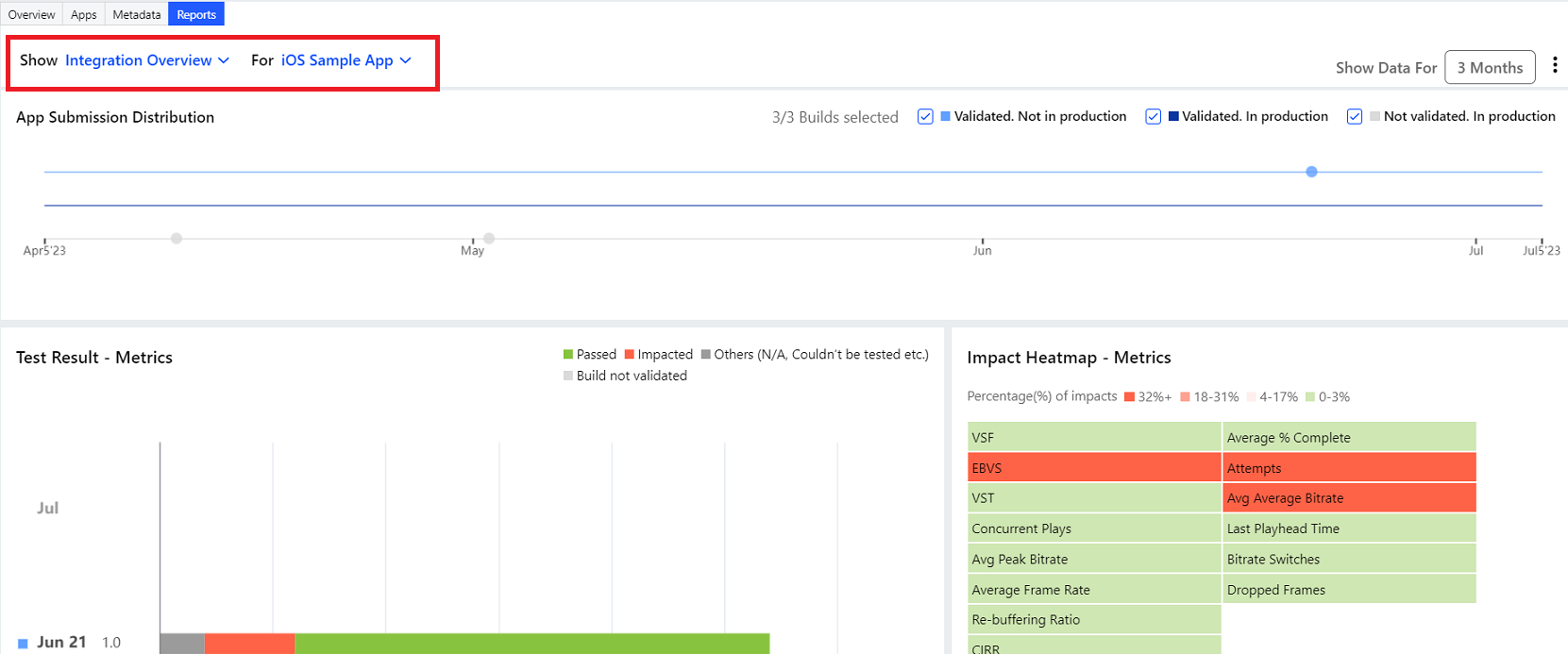
New Feature: Reports Dashboard - App Statistics and Integration Overview Reports
|
|
New Features
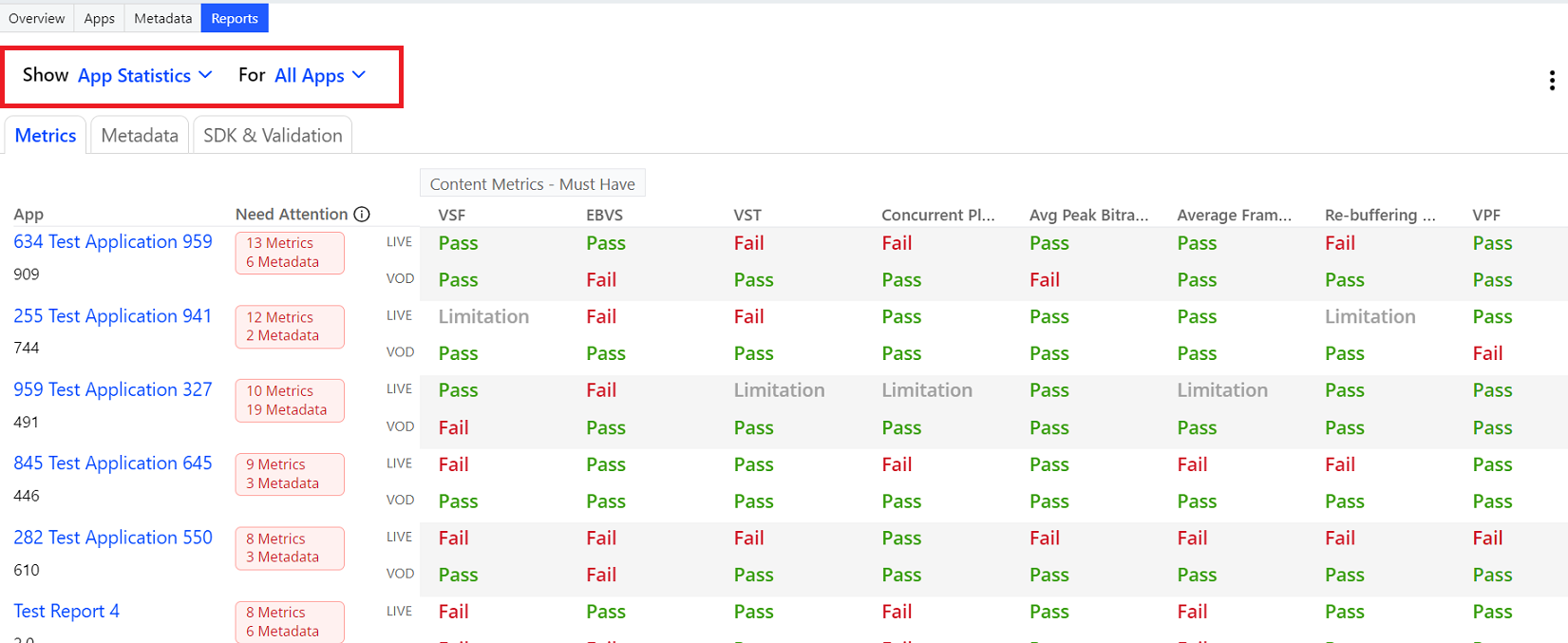
The Reports dashboard displays validation test results of metrics and metadata for all of your device applications.
You can choose to see the validation results for either metrics or metadata for all or selected apps.
Using the Reports dashboard, view reports for:
-
App Statistics
Use App Statistics report to learn about:
-
The performance of metrics and metadata for all or specific apps
- Apps that need the most attention (appearing first on the list)
- Last validation date of the apps
- Newest build or SDK version if available
-
-
Integration Overview
Integration overview reports help to analyze the integration details and the validation improvement progress for each app for a selected time period of 3 months, 6 months, 9 months, or 12 months. These reports use graphical representations to show the impact or improvement of metrics and metadata.
Feature Impact
-
App Statistics report
-
Provides action items to fix the under-performing metrics and metadata
-
Improves integration health
-
Supports downloading the app status report
-
Allows to compare integration health across all the platforms, and to prioritize fixing the apps in the priority order
-
-
Integration Overview report
-
Provides build submission ratio for each app, and sets KPI to improve integration and data on Pulse
-
Enables mapping the Validated - Not In Production builds against the Not validated - In production builds
-
Saves time and efforts required from Conviva customer service team
-
More Details: Viewing and Downloading Reports
December 20, 2022
New Feature: Conviva Integration Plugin for Android
|
|
New Features
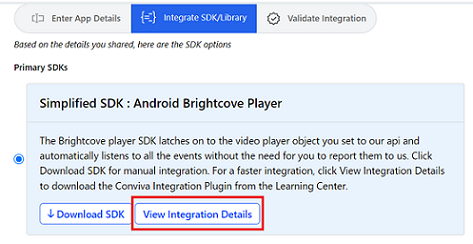
Introduces the Conviva Integration Assistant Plugin for Android that helps you integrate the Android players with only a few clicks.
While creating a new app, when you click the View Integration Details button for Android SDKs on Integrate SDK/Library page, you are redirected to the Conviva Docs Android Integration Assistant plugin page. You can download the plugin from here and follow the instructions to install and use it.
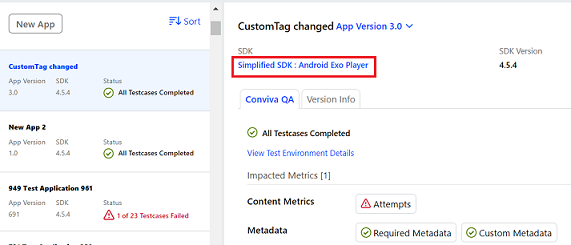
To access the plugin or integration details while you're on the existing app details page, click the "Simplified SDK: Android Player Name" link.
Feature Impact
-
To simplify the integration, the plugin automatically adds the SDK dependencies to your Android project.
-
It generates the ConvivaHelper.java file with all the code that is required to invoke the integration.
-
It also lists the Advanced Use Cases for Android integration.
More Details: Android Integration Assistant Plugin
August 28, 2022
-
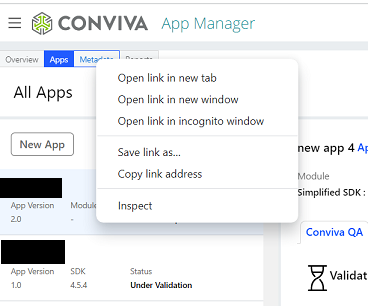
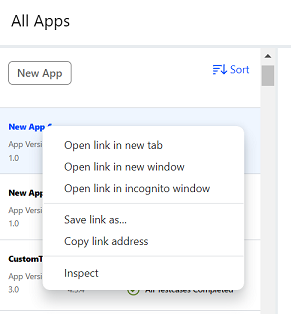
Enhances the tool to open the tabs (Overview, Apps, Metadata, and Reports) and the apps in a new tab or a new window.
|
|
-
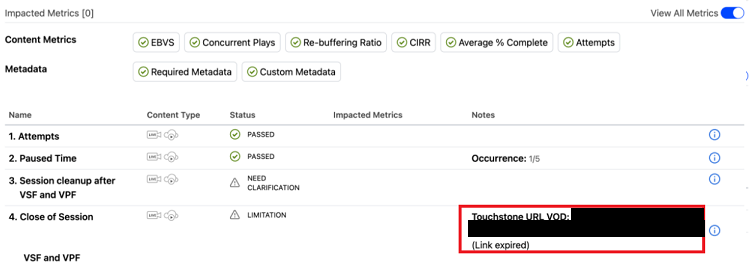
When the Touchstone Reference URL expires, the Notes field on the test results page shows as Link expired.
|
July 28, 2022
This release enhances the features on the test pass report page of the SEI Integration:
-
Email the test pass report to the person who submitted the build.
-
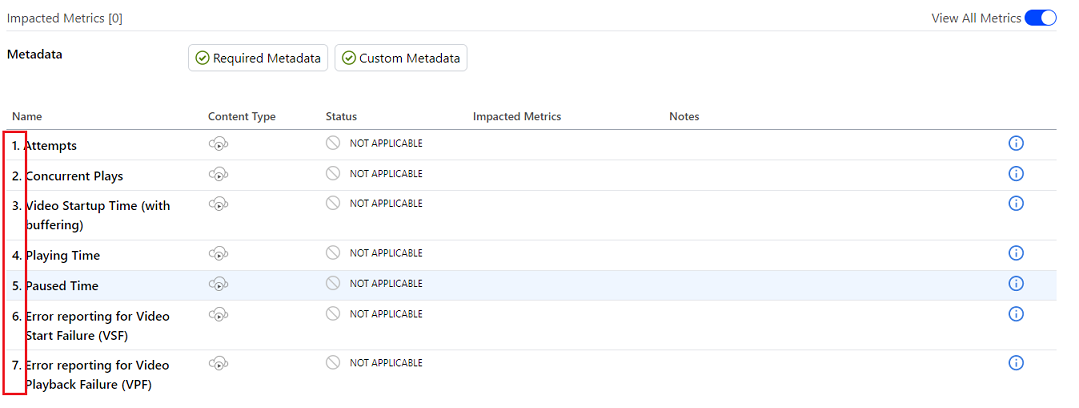
Add numbering to the test case execution and test pass report pages.
|
June 29, 2022
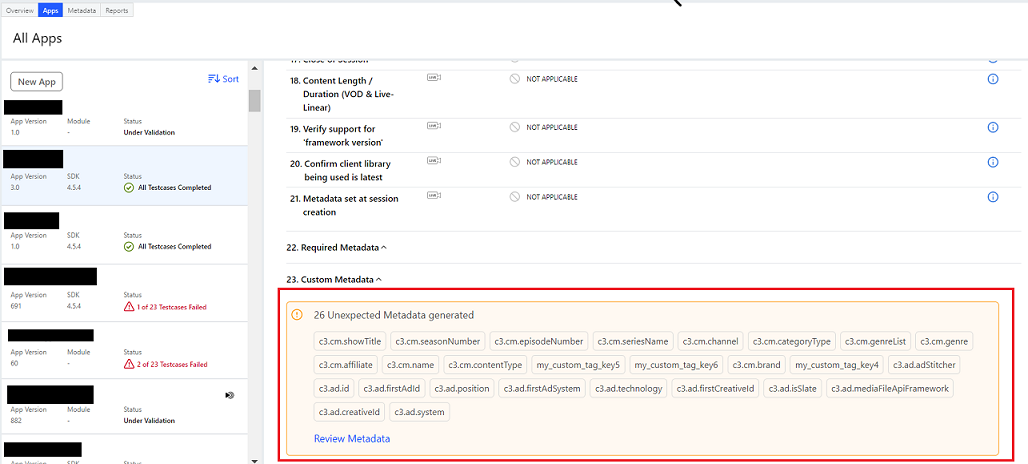
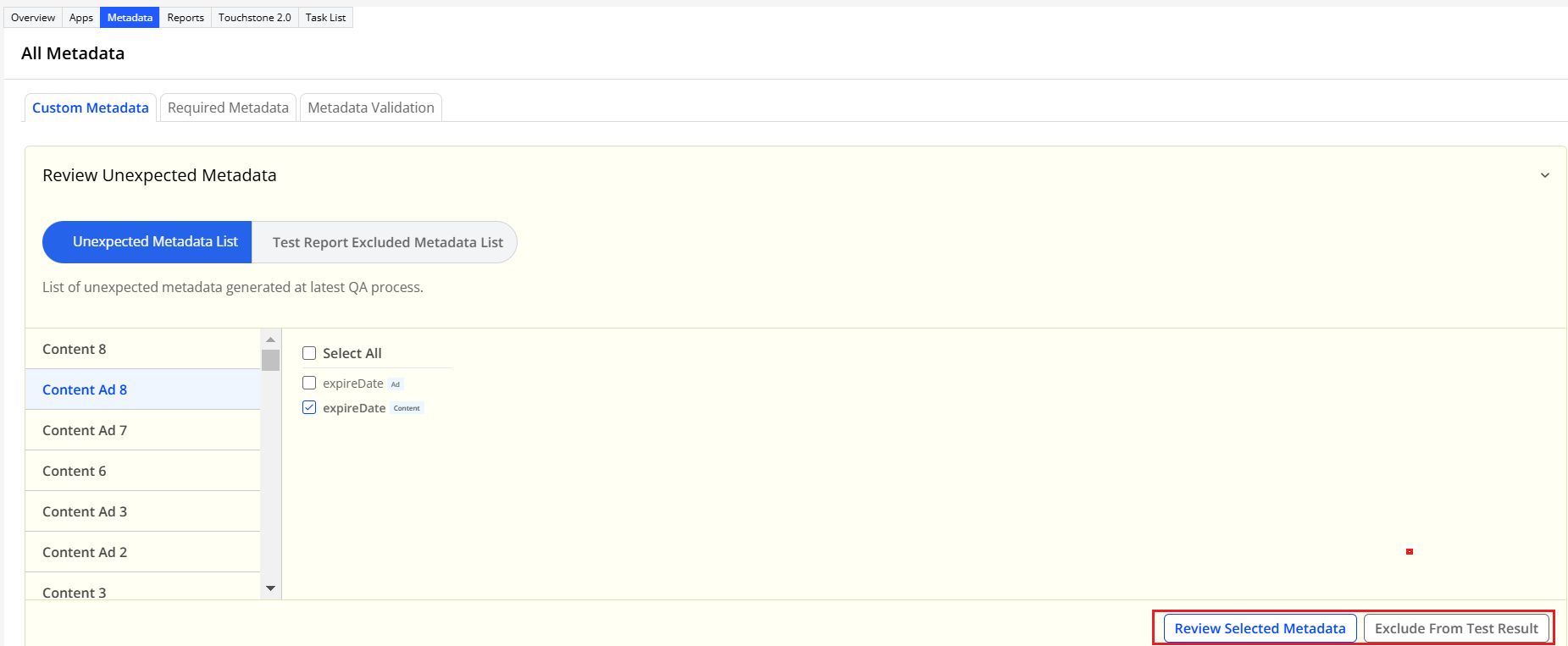
This release enhances the test results page in the Apps tab with the Unexpected Metadata Generated section. This new section displays the metadata that isn't configured in the metadata engine during the app setup. You can review this unexpected metadata and configure it in the engine based on your need. You can choose to discard this information on the test results page. However, it's available on the Metadata tab.
|
|
May 26, 2022
-
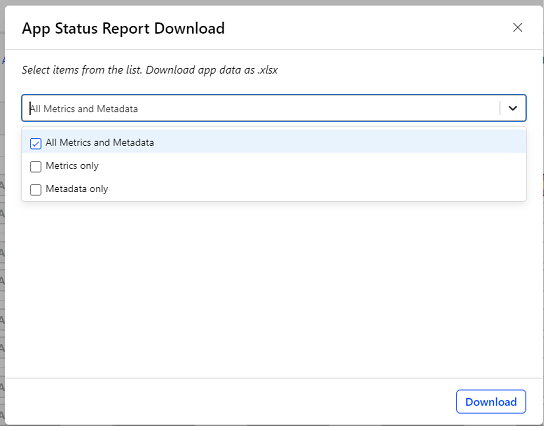
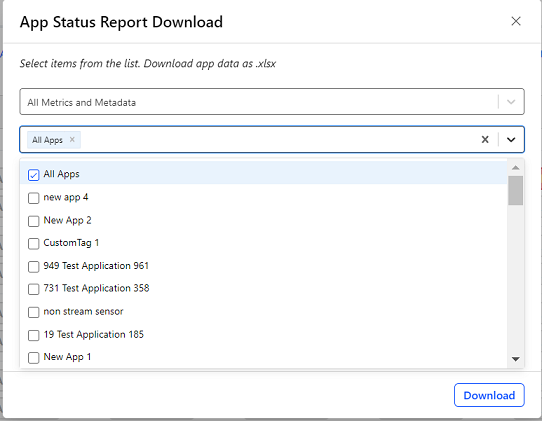
Introduces the Status Report Download option in the Reports tab, where you can download either All Metrics and Metadata (the default option), Metrics Only, or Metadata Only data in an Excel file. You can choose a single app, several apps, or all apps to generate the report.
|
|
-
The Hide Apps option enables you to customize the reporting view. You can choose apps to hide them from reporting.
-
The Test Pass email notification contains an attachment of the test results in PDF format.
-
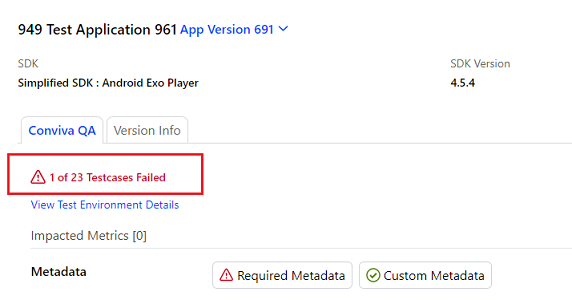
The test results page displays the count of failed test cases.
|
April 28, 2022
-
Enhances the email notifications to send to the configured users when:
-
An app is created or archived.
-
Builds are submitted or archived.
-
Builds are blocked by the QE team and awaiting input from the customer.
-
Builds are unblocked by providing the required comments.
-
Build validation is complete.
-
-
Usability Enhancements
-
The Validate Integration tab has additional instructions.
-
View All Metrics toggle is available on the test results page to view all or limited content metrics and metadata. By default, the toggle is enabled and you can view all the metrics.
-
April 18, 2022
We are excited to announce the launch of Application Manager 2.0, a self-service portal with a guided workflow to set up your applications.
Your current Application Manager data will be maintained and also migrated to Application Manager 2.0 soon. Your Conviva representative will reach out to you when the 2.0 migration is done to address any queries you might have about the migration and your transition to the 2.0 application.
For more details, see the Application Manager 2.0 Help topics in the Conviva Docs.
Touchstone 2.0
This section lists the release notes for the Touchstone.
October 17, 2025
Enhances the Required Metadata and Custom Metadata sections to highlight any metadata with an alert icon  if there is any datatype mismatch. Hover the mouse pointer on the icon to see the alert message, for example "Datatype mismatch. This field supports only "string" datatype".
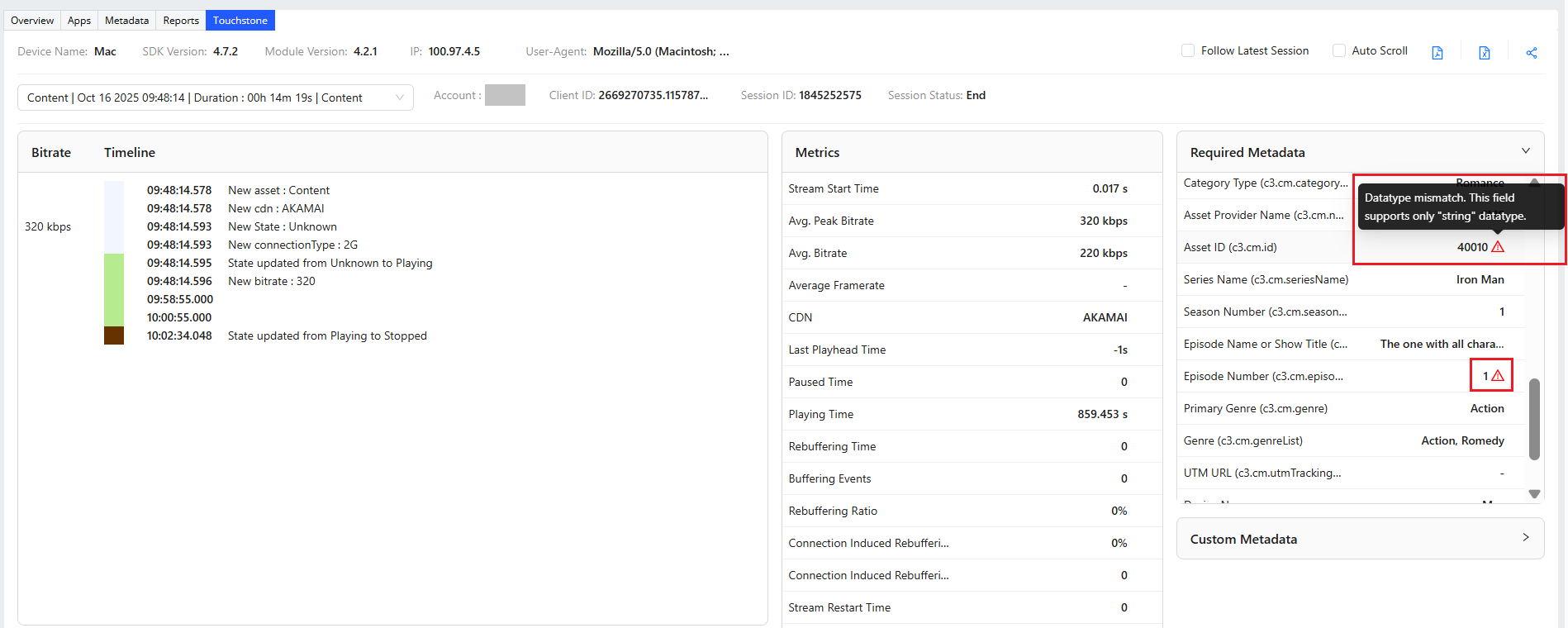
For more details, see the Session Summary topic in the Conviva Docs.
August 13, 2025
-
Enhances the Required Metadata:
-
The Live or VOD metadata is renamed to Content Category (isLive)
-
The Content Category metadata is renamed to Category Type (c3.cm.categoryType)
-
For more details, see the Session Summary topic in the Conviva Docs.
July 03, 2025
-
Enhances the Required Metadata section to display the keys for Content tags (as c3.cm.*) and Ad tags (as c3.ad.*).
-
Relocates App Version from the header section to the Required Metadata section.
-
Removes:
-
The Device Model and Content Type from the header, as these information are already available under the Required Metadata section.
-
The Change Testing Device icon from the header section and the BLUE-colored bar under the Bitrate field.
-
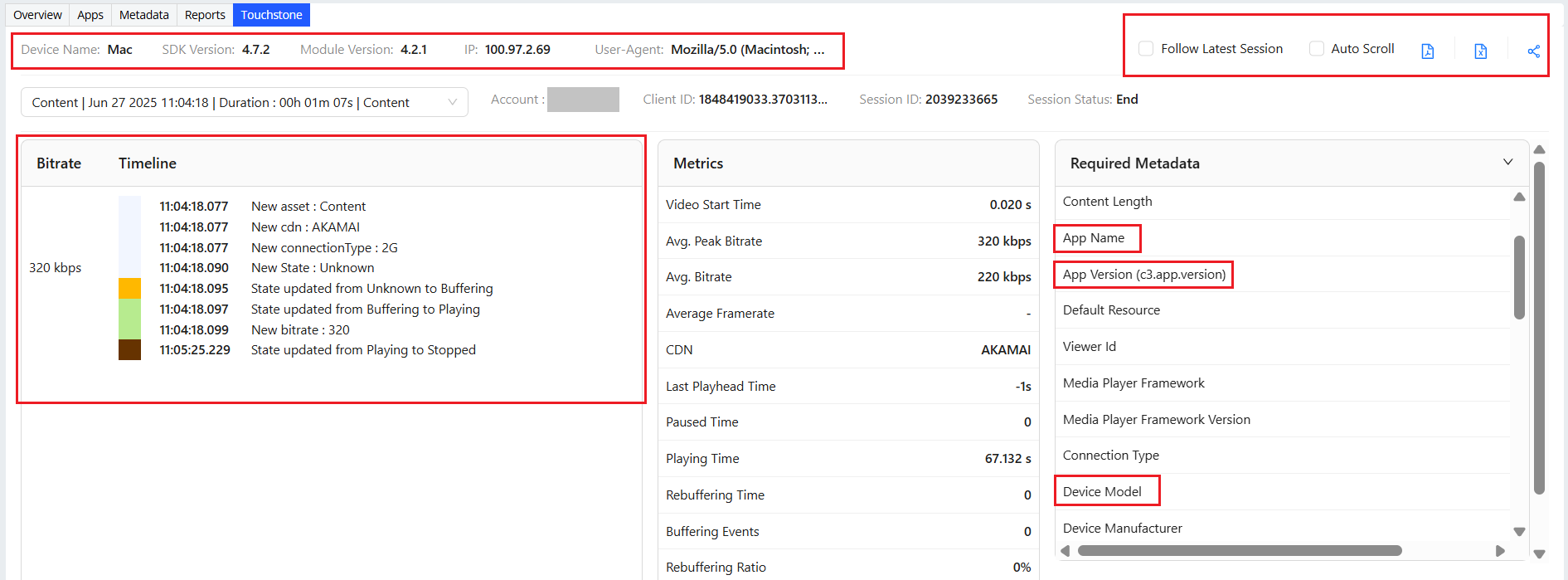
For more details, see the Session Summary topic in the Conviva Docs.
June 06, 2025
Deprecates the older version of Touchstone. Use the improved Touchstone 2.0 in Pulse for seamless debugging and self-validation of Conviva's SEI.
For more details, see the Self-Validation Using Touchstone topic in the Conviva Docs.
April 10, 2025
Enhances all Required Metadata (except Device Model, Browser Name, and other device-related metadata) and Custom Metadata to:
-
Show the metadata values as collected directly from the heartbeat.
-
Support mutability, that is, any changes in the metadata during an ongoing session.
For more details, see the Session Summary topic in the Conviva Docs.
March 25, 2025
-
Introduces a new Avg. Bitrate metric to show the latest average bitrate as collected from the heartbeat.
-
Enhances the Device Category metadata to show its value as collected from the heartbeat.
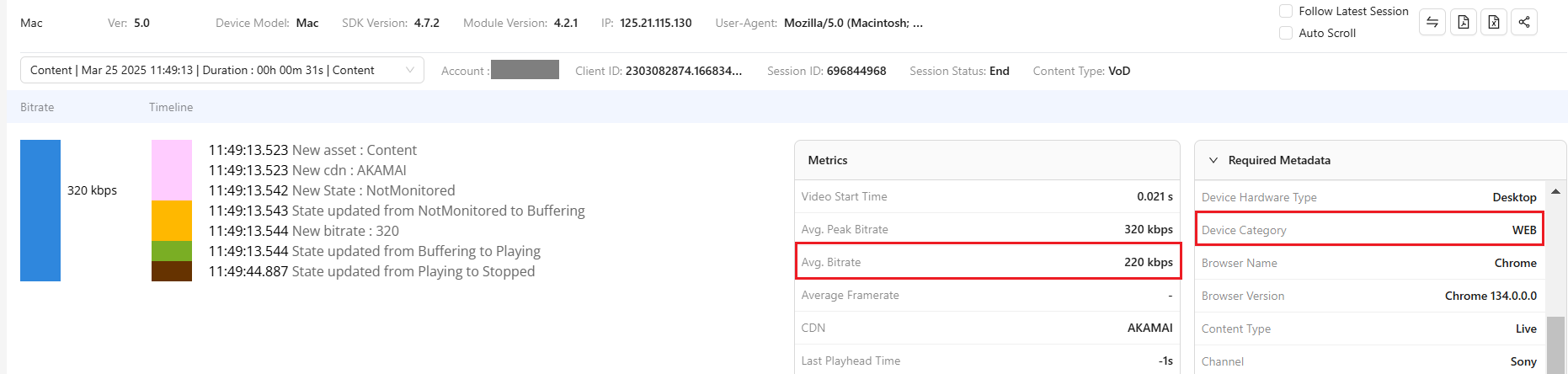
For more details, see the Session Summary topic in the Conviva Docs.
January 23, 2025
-
Displays Module Version in the header section, if available in the heartbeat.
-
Displays CDN changes in the session timeline.
-
Simplifies the statements for player state change and event change in the session timeline.
-
Introduces two new icons for exporting the session summary in the PDF and Excel formats.
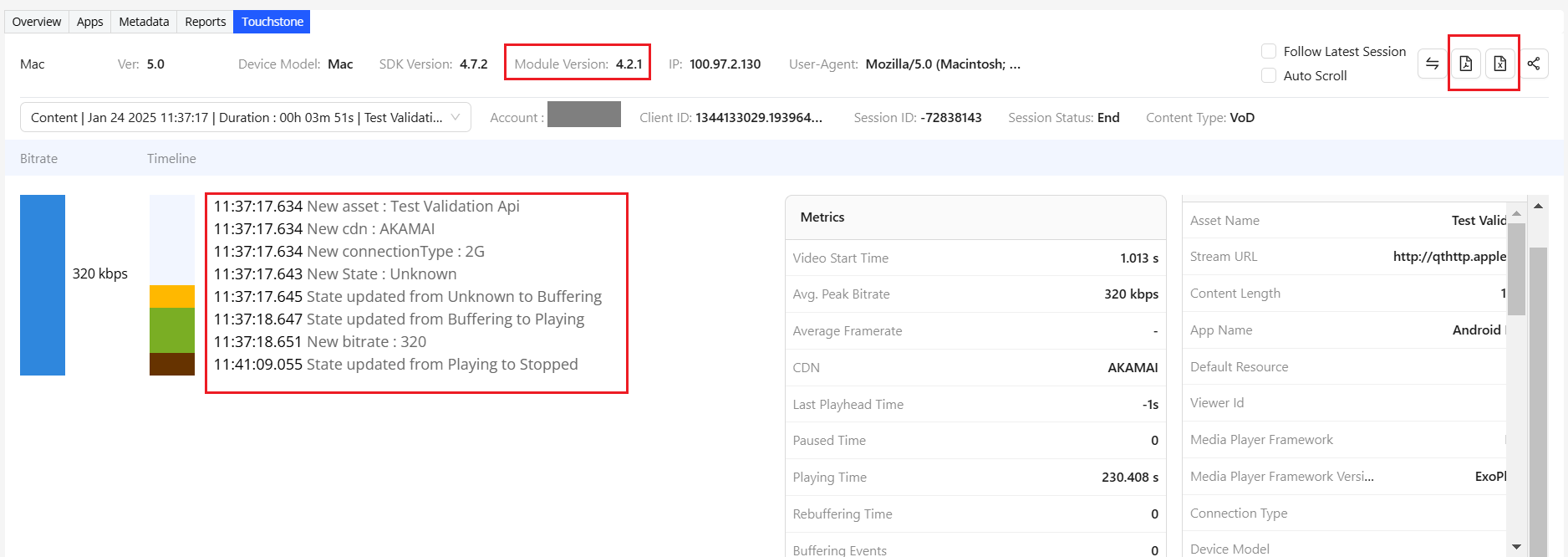
For more details about exporting session summary in the PDF format, see the Session Summary topic in the Conviva Docs.
January 09, 2025
-
Enhances the metric names in the Session details page depending on the customer type.
For example,
-
Video-only customers see the metrics labeled as "Video Start Time", "Video Restart Time", and "Video Restart Count".
-
Stream-only customers see the same metrics labeled as "Stream Start Time", "Stream Restart Time", "Stream Restart Count".
-
-
Shows the Default Resource in the Required Metadata section. It is collected from the raw heartbeat.
-
Introduces a new icon to export session summary in the PDF format by clicking the Export to PDF icon at the top-right corner.
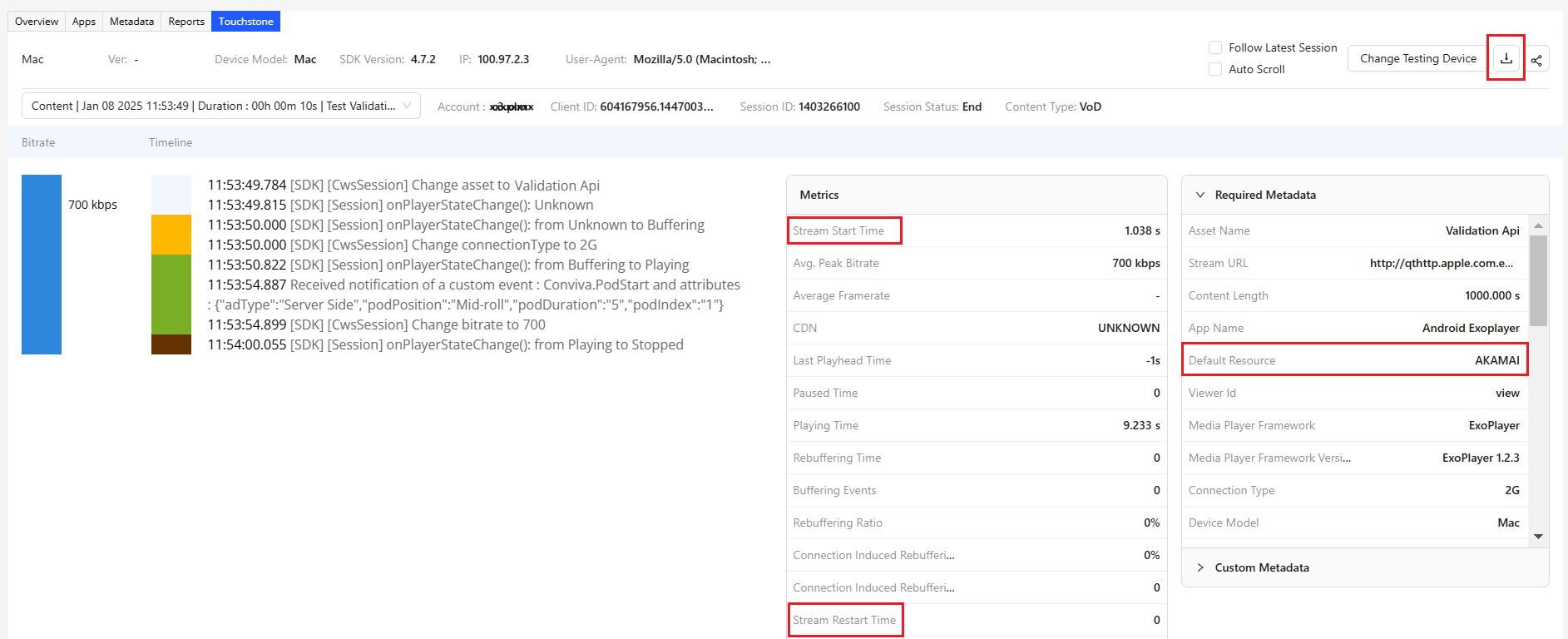
For more details about exporting session summary in the PDF format, see the Session Summary topic in the Conviva Docs.
October 24, 2024
Introduces date picker in the Available Devices page to filter the list of available devices based on a date range.
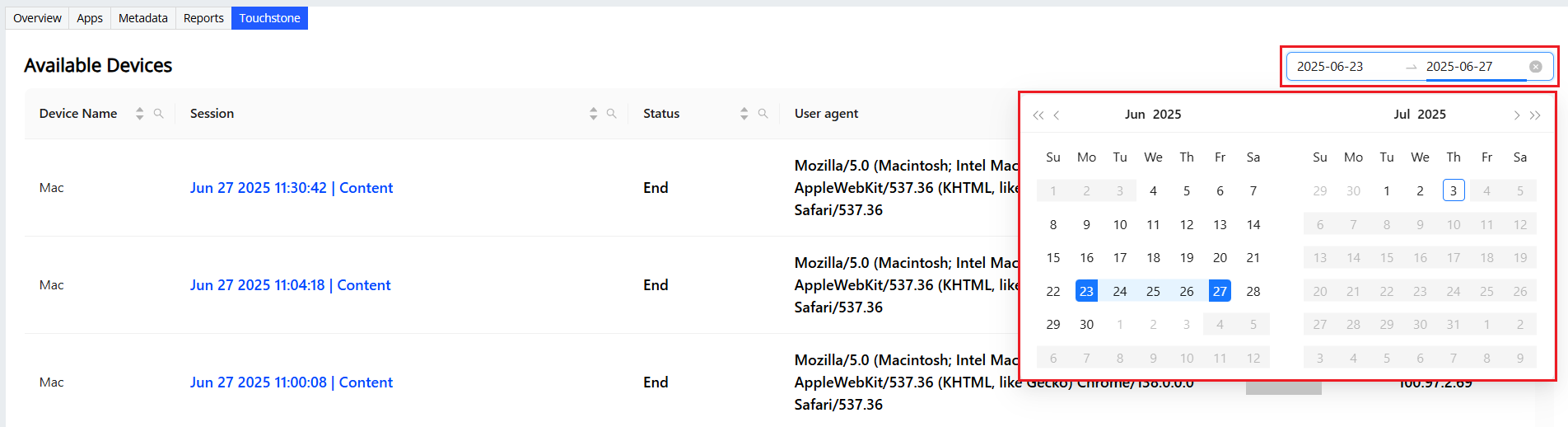
For more details using the date picker to filter the available devices, see the Available Devices topic in the Conviva Docs.
September 27, 2024
We are excited to announce the launch of Touchstone, designed to streamline the self-validation process for video sensor integration. Now integrated with Pulse, Touchstone enables in-depth monitoring of session timeline data, accessible within the app and across Pulse’s Overview, Trends, and Viewers dashboards. This new version also resolves previous inconsistencies in metric values between Pulse and the standalone Touchstone 1.0, ensuring more accurate data tracking.
For more details about Touchstone features and enhancements, see the Self Validation Using Touchstone 2.0 topic in the Conviva Docs.