In most cases, Audience displays dates based on the c3 account time zone configured during the Conviva account setup. For example, if your c3 account is set to Eastern Standard Time (EST), Audience displays viewer data based on the EST, regardless of the timezone in which the viewer activity occurred. This provides a common time reference to analyze and manage viewer activity and impacts.
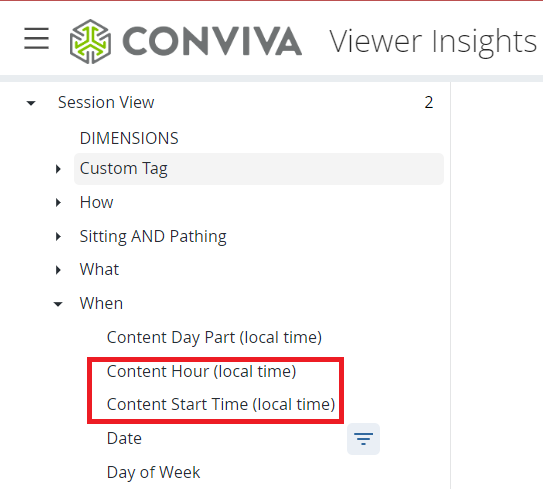
Due to the specific day time alignments, in a limited number of features, the viewer's local time displays instead of the c3 account time zone to clarify the impacts of the viewer activity. The features displaying the viewer’s device local time include:
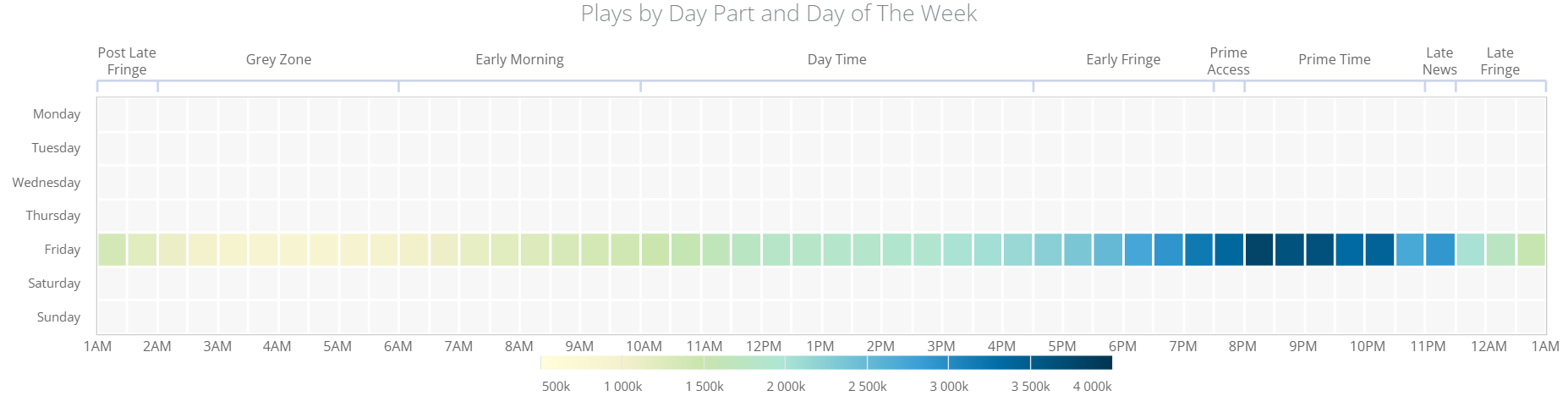
Plays by Day Part and Day of The Week widget
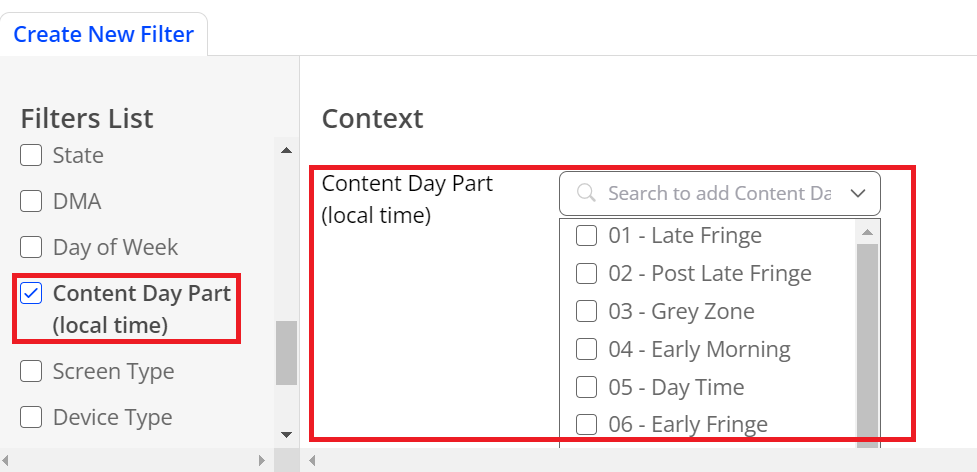
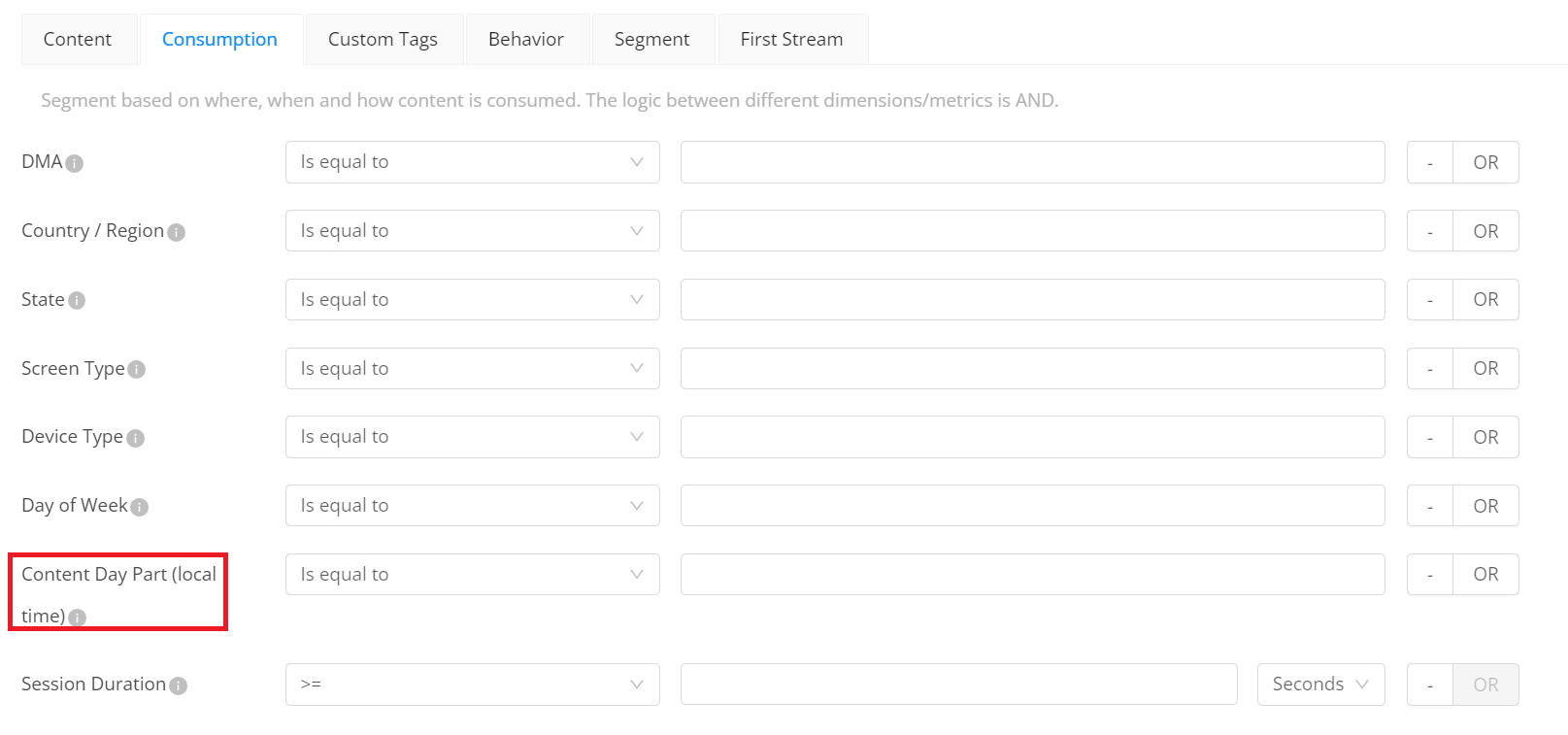
Content Day Part (local time) in Filter Builder, Segment Builder, and Analytics Workbench
Some Fields in Analytics Workbench
-
Content Hour (local time)
- Content Start Time (local time)
The viewer’s device local time is converted from the c3 date and time that you specified in the date picker. The table shows an example regarding the different time zones.
Original Version:
| Local Device Time |
c3 Date/Time |
Date Picker Time Range | Date Time in Audience | Adjustments |
|---|---|---|---|---|
|
2023/04/15 (00:00 to 23:59) UTC+5.30 |
2023/04/15 (00:00 to 23:59) |
|||
| Eastern United States (DST) UTC-4:00 2023/04/14 3:30 p.m | 2023/04/15 3:29 p.m | Adjust US DST local time to report the c3-adjusted time at the moment of usage in Audience |
Updated Version 1
| Date Picker Time Range (c3 account time) |
Local Device Time Range Used by Features |
Adjustments |
|---|---|---|
| 2023/04/15 (00:00 to 23:59) UTC+5.30 | ||
|
Eastern United States (DST) UTC-4:00 2023/04/14 3:30 p.m. to 2023/04/15 3:29 p.m. |
Adjust the c3 account time to the US DST local time at the moment of usage in Audience |
Updated Version 2
| Date Picker Time Range (c3 account time) |
Local Device Time Range Used by Features |
Adjustments |
|---|---|---|
| 2023/04/15 (00:00 to 23:59) UTC+5.30 |
Eastern United States (DST) UTC-4:00 2023/04/14 3:30 p.m. to 2023/04/15 3:29 p.m. |
Adjust the c3 account time to the US DST local time at the moment of usage in Audience |
Updated Version 3
| C3 Account Time Zone | Date Picker Time Range | Local Time Zone | Local Device Time Conversion | Adjustments |
|---|---|---|---|---|
| UTC+5.30 | 2023/04/15 (00:00 to 23:59) |
Eastern United States (DST) UTC-4:00 |
Local time: 2023/04/14 3:30 p.m. (shifts to 9.5 hours) VI display: 2023/04/15 3:29 p.m. |
Adjust the c3 account time to the US DST local time at the moment of usage in Audience. For example, if using the 01-Late Fringe filter in Content Day Part (local time), the returned data is in the range of 1:00 a.m. to 2:00 a.m. of 2023/04/15 at the Eastern United States (DST) UTC-4:00 time. |
Plays by Day Part and Day of The Week Widget
This widget displays the data based on the viewer’s device local time.
For time internal selection, Audience applies the date and times specified in the date picker, based on the displayed c3 date and time. This setting determines the days of the week selected in the Day Part Widget.
For Day Part, Audience applies the device local time to filter and align session plays in the Day Part intervals.
For example, this day part widget shows the breakout of sessions that started playing in the locally adjusted times during the specified Friday interval. Most heavy viewer occurred from 8PM to 10PM.
Content Day Part (local time)
Audience applies Content Day Part (local time) in Filter Builder, Segment Builder, and Analytics Workbench.
For Day Part, Audience applies the device local time to filter and align session plays in the Day Part intervals.
In Filter Builder
In Segment Builder
In Analytic Workbench
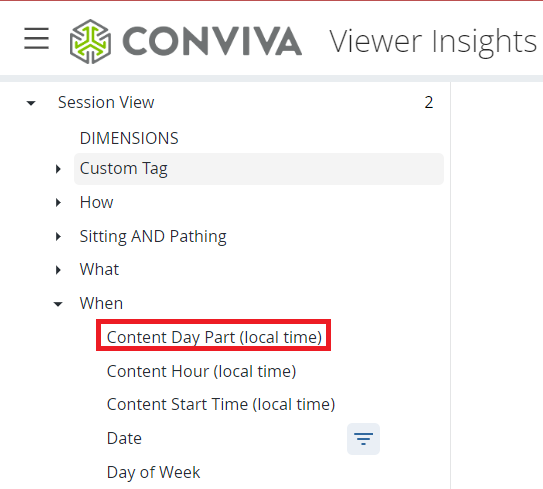
Content Hour (local time) and Content Start Time (local time)
Audience applies Content Hour (local time) and Content Start Time (local time) in Analytics Workbench.
Content Hour (local time): Locally adjusted hourly interval during which the content started.
Content Start Time (local time): Locally adjusted time content started.