
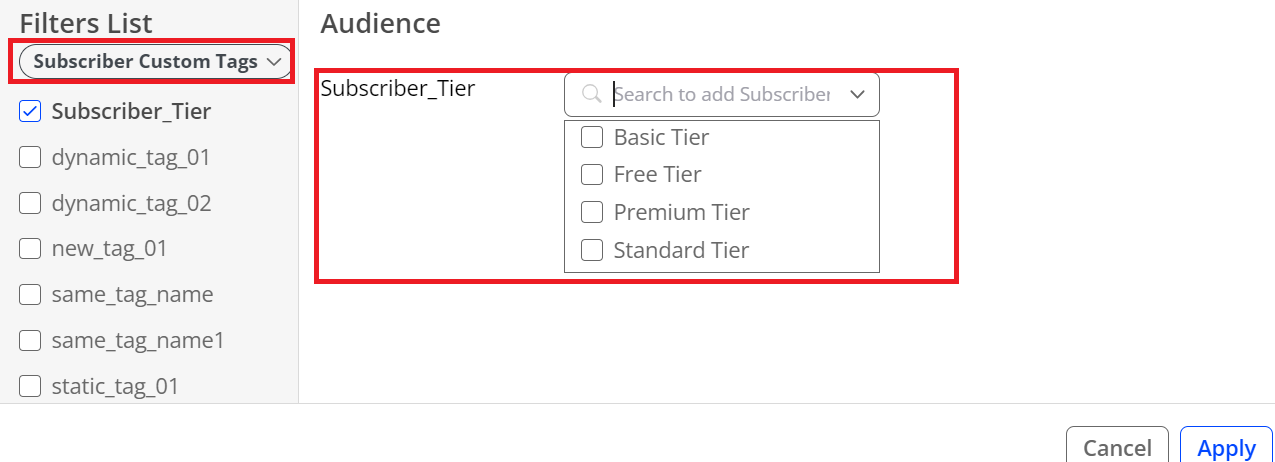
Audience enables subscriber metadata ingest to support advanced subscriber analysis based on static and dynamic attributes of subscribers, such as subscriber tier and trial end date. To support advanced subscriber analysis, Audience ingests subscriber metadata through customer-shared subscriber metadata files. Audience displays the subscriber metadata as subscriber custom tags in session filters, viewer segments, and Analytics Workbench.
Subscriber metadata ingestion process:
Conviva sensor collects Viewer IDs.
Customer provides subscriber metadata files to designated location, such as an Amazon S3 storage bucket.
Conviva Audience Data Pipeline ingests subscriber data to the Conviva data storage.
Audience matches subscriber data based on the Viewer IDs and the associated viewer data and displays the ingested metadata as custom tags for use in filters, segments, and workbench reports.
Typical Setup Process
| Customer | Conviva |
|---|---|
| Customer provides sample file(s) that adhere to the requirements (see Subscriber Metadada Files Requirements below). | Conviva reviews sample file(s) and responds with questions and feedback. |
|
Customer addresses feedback and provides new sample file(s) as needed. |
Conviva validates sample file(s) and reports match rate (% of viewer IDs in the subscriber metadata file that match to Conviva sensor collected viewer IDs) – this match rate should be close to 100% (if not close to 100%, further troubleshooting is required.) |
|
Customer sets up a storage location (e.g. s3 bucket) for exchange of files and shares credentials with Conviva. Within the storage location, the customer needs to create two dedicated folders:
This storage location can be the same location used for the Conviva Connect feed. |
|
|
The customer follows the steps for uploading subscriber metadata files:
Note these items:
Static tags: tags remain unchanged for a given subscriber, such as Traditional Pay TV Younger. Dynamic tags: tags change over time. For example, Subscriber Tier, as subscribers can change their tier over time. |
Conviva starts ingesting files and validates ingestion process. |
Prerequisites
Integrate Conviva sensors to pass Viewer IDs.
Subscriber Data Matching
For each content session, the Conviva sensor collects the Viewer IDs in the Conviva data objects. For more details about Conviva integrations, see Integration Overview.
After customers share their subscriber data, Conviva Audience Data Pipeline ingests the customer-provided subscriber metadata to Conviva data storage, and matches the data associated with the collected IDs for use in Audience.
Subscriber Metadata File Requirements
Customers can provide subscriber metadata in a single file or separate files in CSV or Parquet format. Additional file requirements are:
Viewer ID Column: All files, regardless of format, must include a column for the Viewer ID. This column uniquely identifies each subscriber.
Dynamic Tags: Files containing dynamic tags should have an additional column named "Update Date." This column captures the date of the update for the dynamic tags.
Server Side Custom Tags: Customers can define any server-side custom tags by using additional columns in the file. These columns can represent various subscriber attributes such as subscriber tier, add-on packages, plan name, or plan origination (how the subscriber signed up for the plan, e.g., online, customer service, 3rd party, etc.).
Custom Tag Value Formats: Customers need to provide the custom tag values as strings or date/time values. If customers provide the date/time value, make sure that the value is in the time zone of the C3 account.
See this sample CSV file.
Conviva supports the following methods for file ingestion:
Pull Publisher uploads the subscriber metadata files to their S3/GCS buckets and Conviva pulls the data from this location. Publisher needs to provide Conviva the file path and credentials.
Push Publisher pushes the files into Conviva’s S3/GCS bucket. Conviva provides the file path and credentials to Publisher.