
SEI Product Surfaces
Streaming Experience Insights (SEI) is the umbrella product. Underneath it sit the product surfaces you select from the left navigation in Conviva Pulse. Each surface analyzes a different part of the streaming experience, and all of them draw on the same Conviva Digital Intelligence Platform.
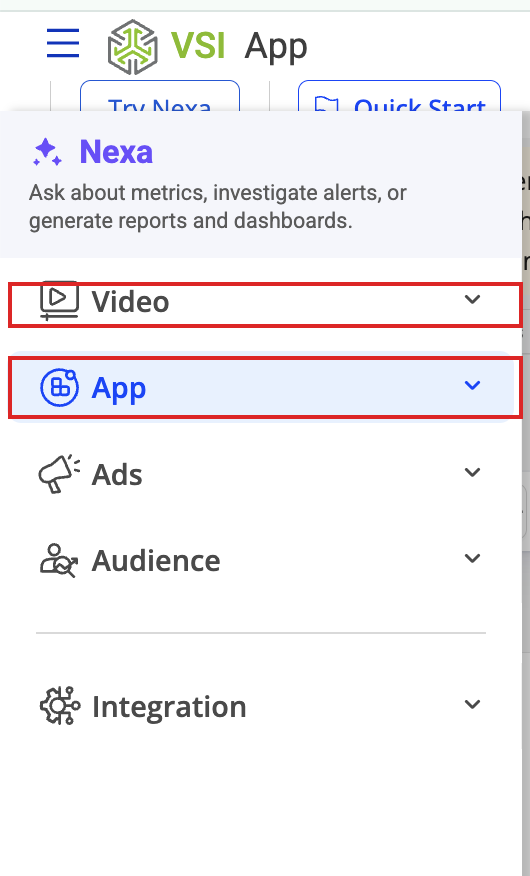
The Pulse left navigation. Video and App carry the product-surface names introduced in the August 6, 2026 release.
The surfaces
| Surface | What it covers | Where to start |
|---|---|---|
| Video | Video streaming Quality of Experience (QoE) and audience engagement — playback failures, startup performance, rebuffering, and viewership. | Conviva Video |
| App | Application analytics — real-user experience, engagement, critical user journeys, and front-end and network performance. | Conviva App |
| Ads | Advertising analytics — ad delivery, ad startup performance, and ad-related failures. | Conviva Ads |
Naming
As of the August 6, 2026 Pulse release, the navigation labels match the product-surface model used throughout this documentation:
- App — previously labelled DPI in Pulse navigation.
- Video — previously labelled Streaming Experience Insights in Pulse navigation.
- Ads — unchanged.
The rename is a labelling change only. No dashboards, metrics, filters, saved views, permissions, or API behavior changed as part of it, and no action is required from you.
Which surface should I use?
- Measuring how well video plays for your viewers — Video.
- Measuring how your web or mobile application performs for real users, including journeys such as login, search, and checkout — App.
- Measuring ad delivery and ad playback alongside content — Ads.
Most teams use more than one surface. Because they share a single platform and a common set of dimensions, you can move between them without re-instrumenting or re-filtering your data.