
During a maintenance window or a period of known, expected low traffic, alerts can fire that aren't actionable. Global Mute lets you suppress all notifications — across every channel, for both AI Alert and manually configured alerts — for a chosen product (Video and/or Ad) and a time window capped at 24 hours.
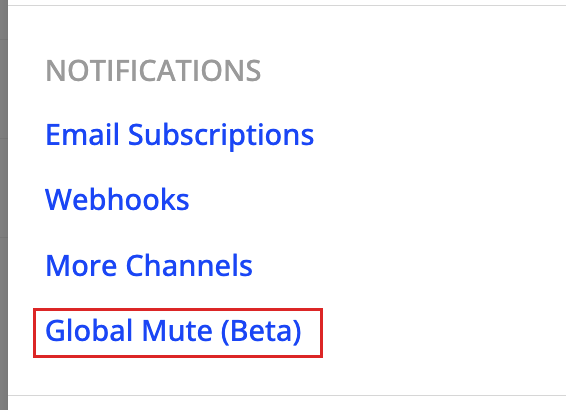
Entry point: Settings > Notifications.
How to Use Global Mute
Go to Settings > Notifications > Global Mute (Beta).
Select the product(s) to mute (Video and/or Ad).
Set a start and end time, or use the Next 2 hours or Next 4 hours shortcuts.
Turn Mute ON.
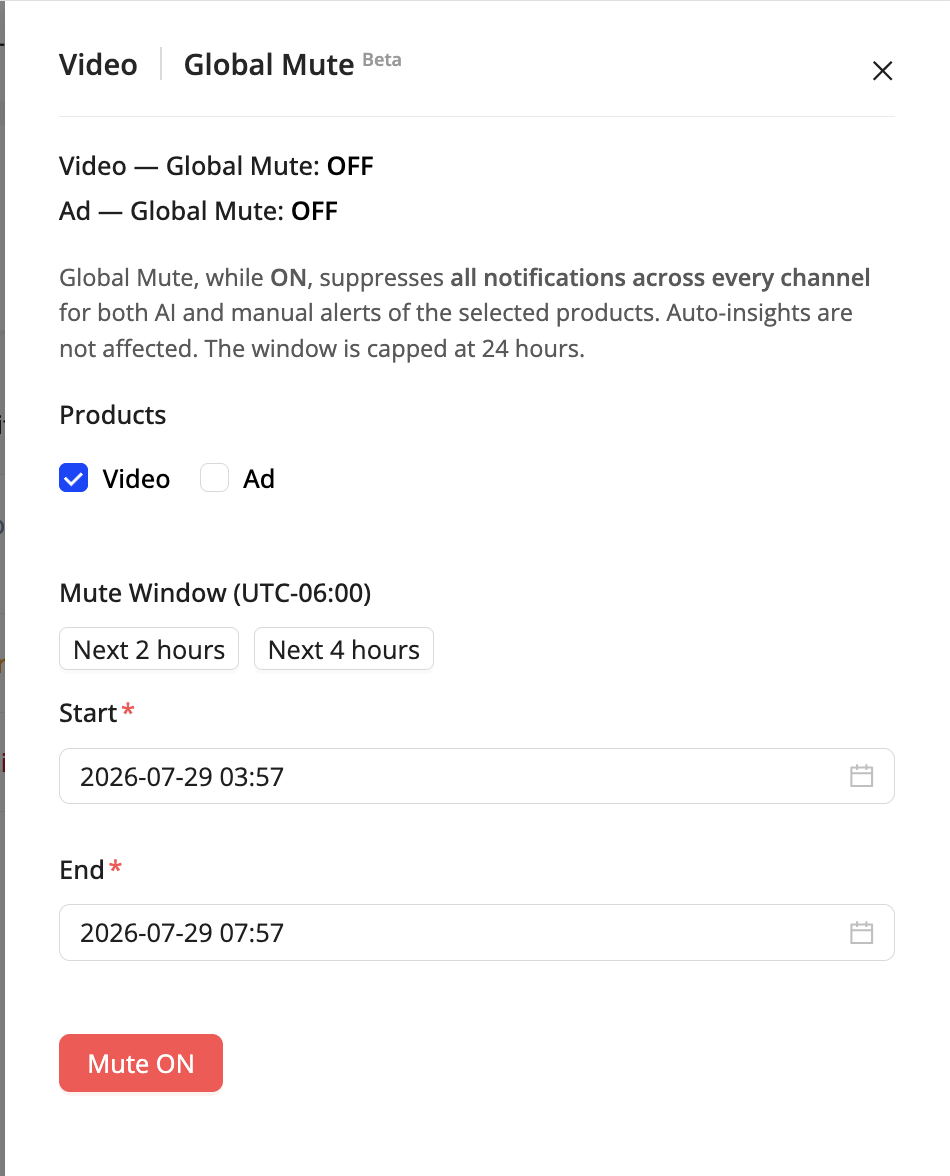
Global Mute drawer — select the product(s) and mute window.
What Global Mute Does and Doesn't Affect
Alerts are still generated and remain visible on the Alert Listing page — only the notifications are suppressed.
Automatic Insights are not affected; this feature is scoped specifically to real-time anomaly notifications.
Global Mute and Mute Rules Updated Aug 13, 2026
Global Mute silences everything, across every channel, for a short window. Mute Rules (Beta) is the targeted alternative: it suppresses AI Alert notifications that match dimension and/or metric conditions, on the specific channels you choose.
Both features can be in effect at the same time. When more than one mute applies to the same notification, the order of precedence is:
Global Mute > Mute Specific > Mute all except
Global Mute always wins — while it is on, no Mute Rule changes what is or isn't delivered.