With SEI, streaming executives and others optimizing overall performance can easily monitor overall operational performance metrics, content audience levels, and ad experience through customized execu.
Updated 2026-09-02·exec, stakeholders, ei application, ea features, executive, presets, kpis
With SEI, streaming executives and others optimizing overall performance can easily monitor overall operational performance metrics, content audience levels, and ad experience through customized executive-level displays and scheduled email reports.
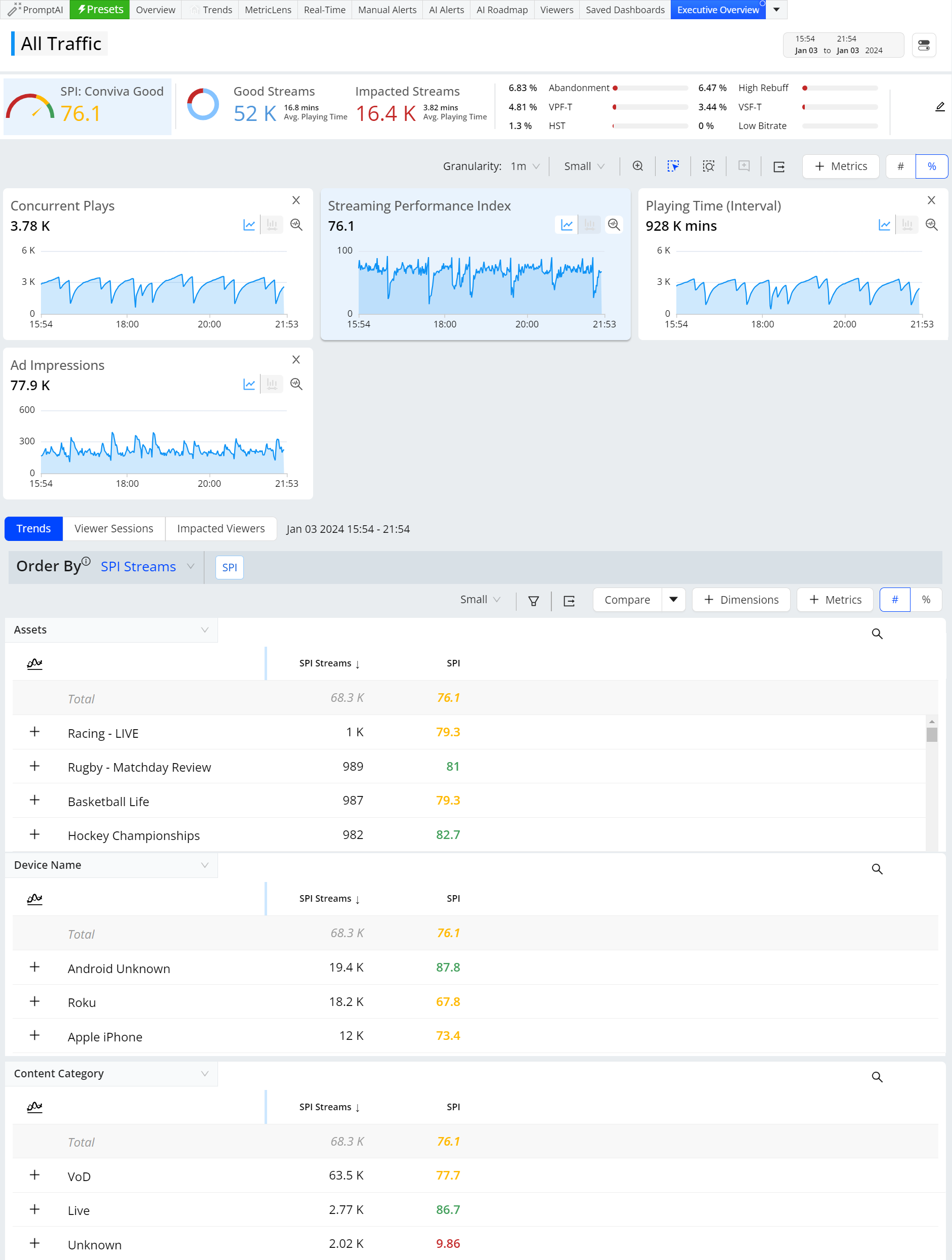
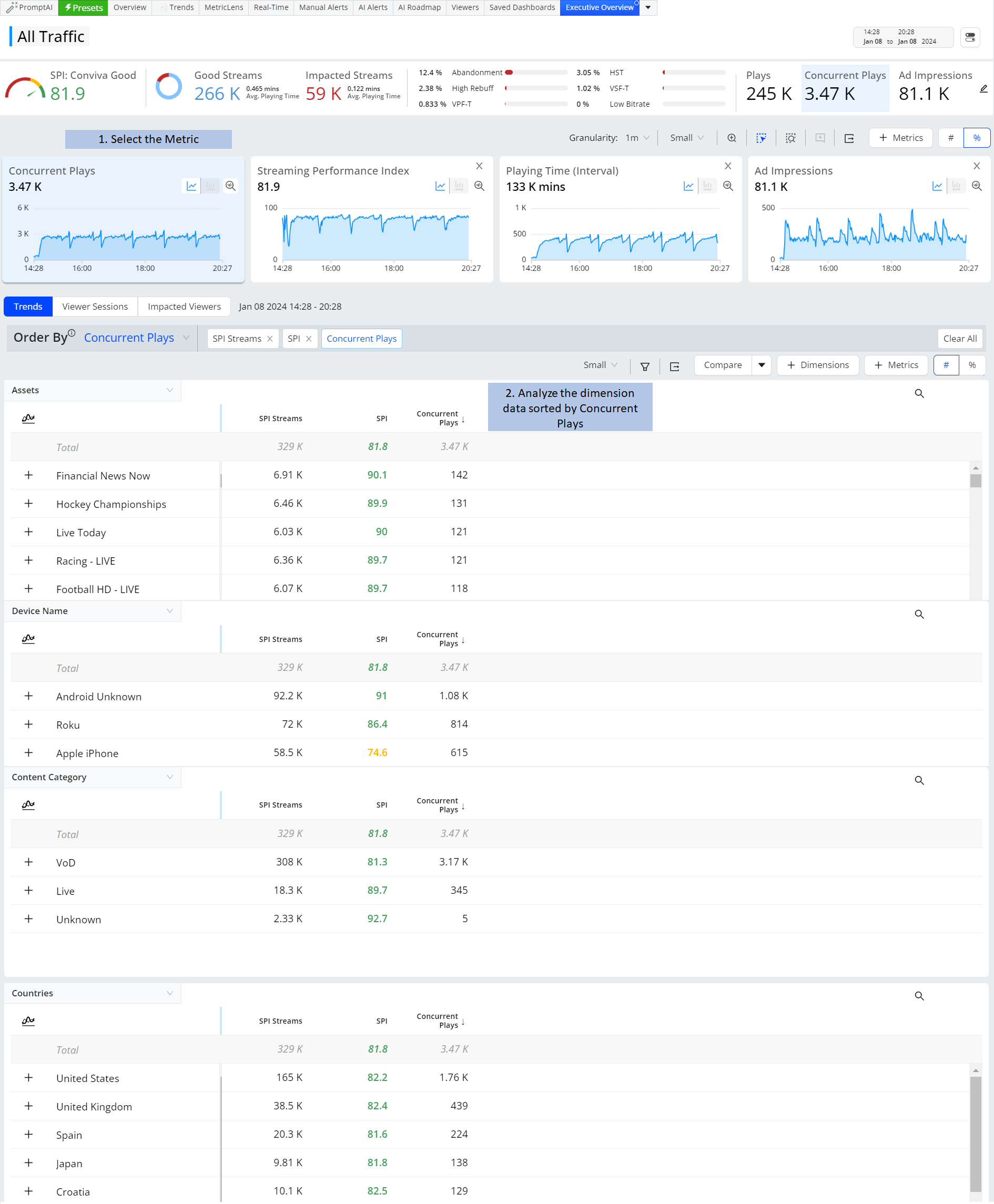
This preset provides the metrics, Concurrent Plays, Streaming Performance Index, Playing Time (Interval) with the dimensions Assets, Device Name, Content Category, and Countries sorted by SPI Streams.
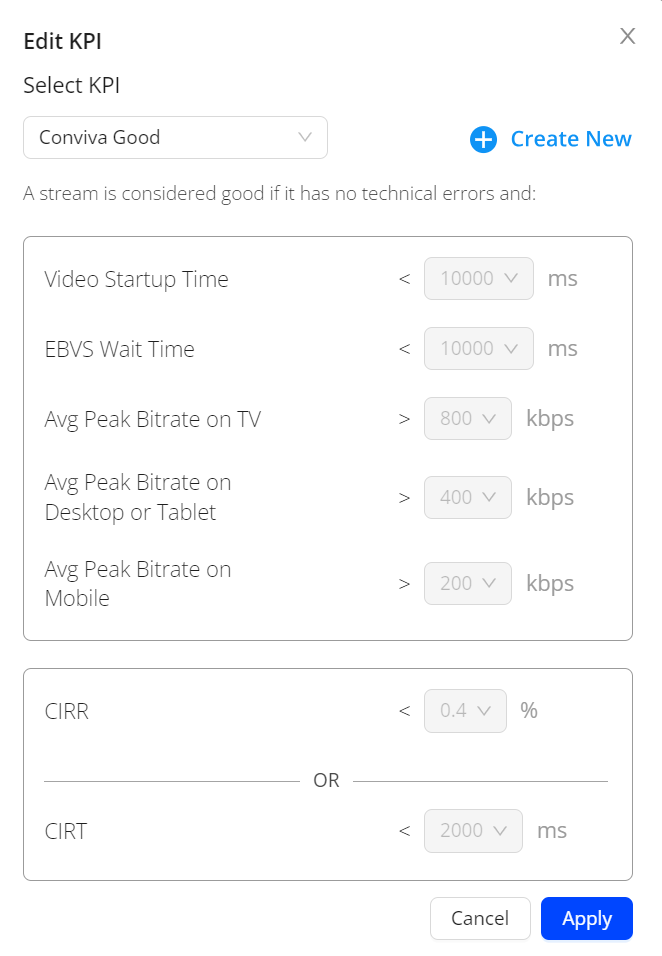
Fine-tune streaming performance KPIs based on base on your team's experience thresholds and performance goals. These thresholds represent the Conviva Streaming Performance Index, and can use the Conviva Good/Best settings or multiple custom versions for the percentage of streams with:
No errors (VSF-T or VPF-T)
No or very low Rebuffering (using CIRR)
Acceptable picture quality based on average bitrate for different screen sizes
Acceptable Video Start Time
No EBVS if the viewer was waiting a long time before exiting.
This example shows the Assets, Device Name, Content Category sorted with the highest concurrent plays. Also you can sort the data with the lowest concurrent plays.
Ad Impressions
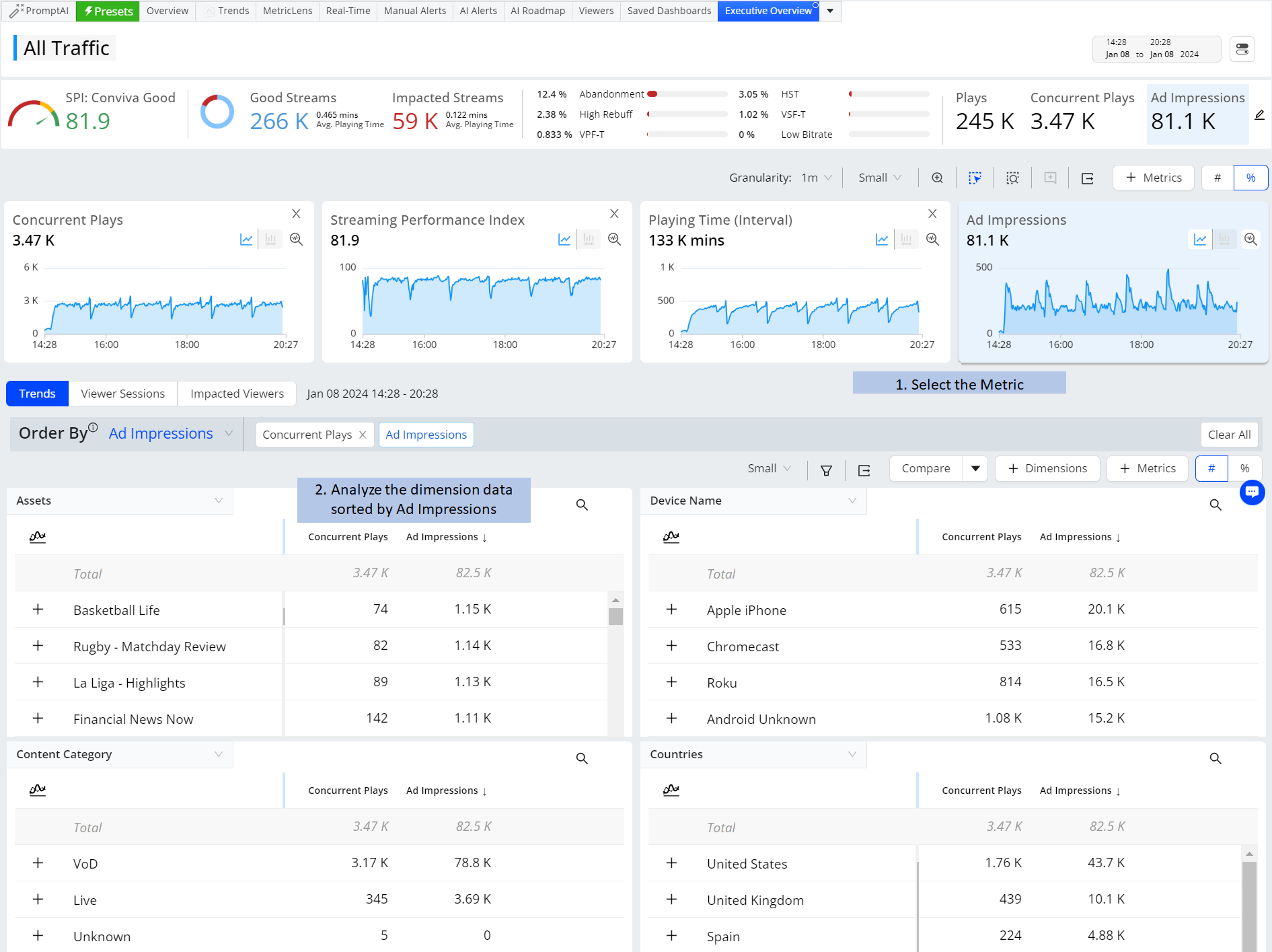
This example shows the Assets, Device Name, Content Category sorted with Ad Impressions.
Playing Time (interval)
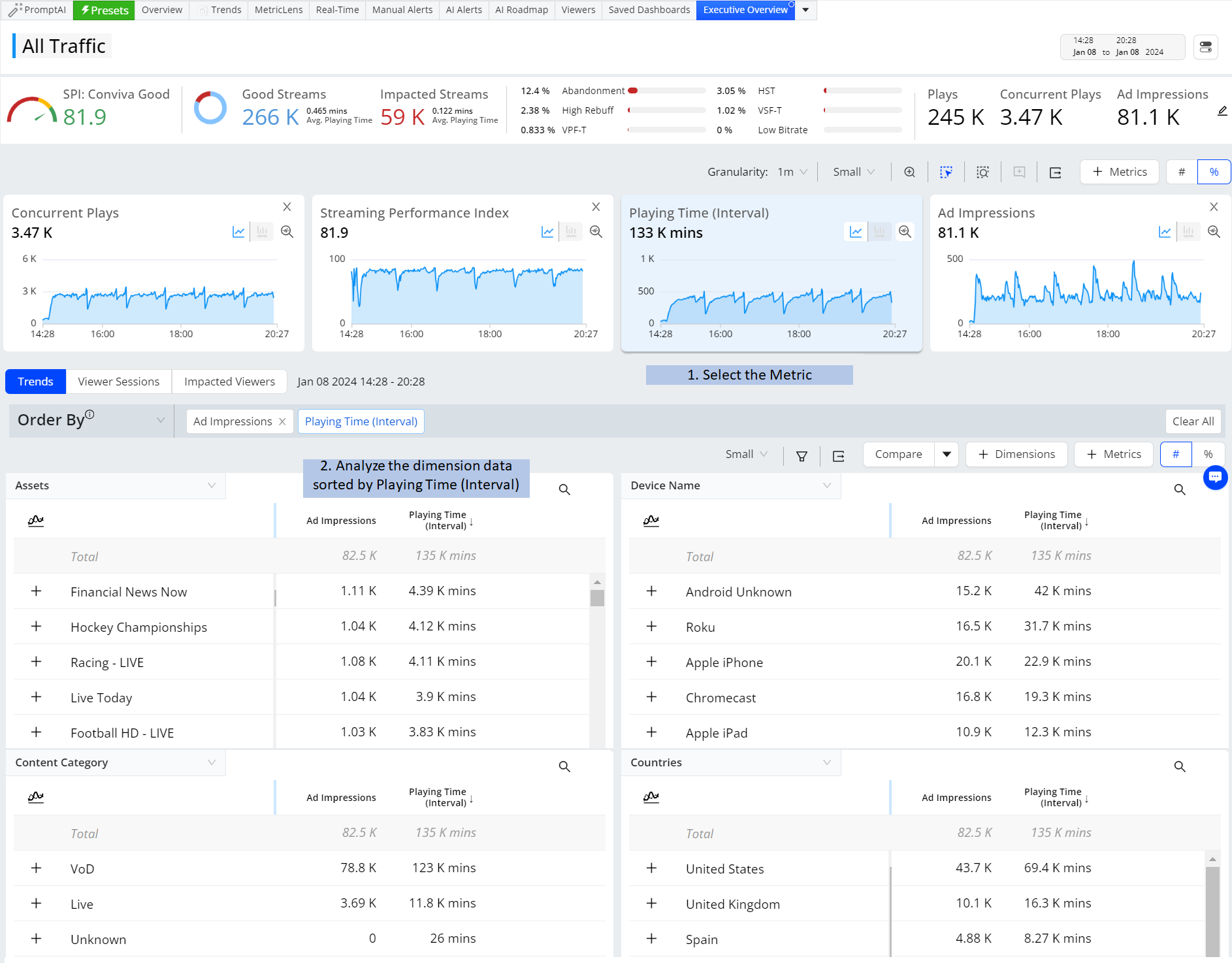
This example shows the Assets, Device Name, Content Category sorted with the Playing Time (Interval).
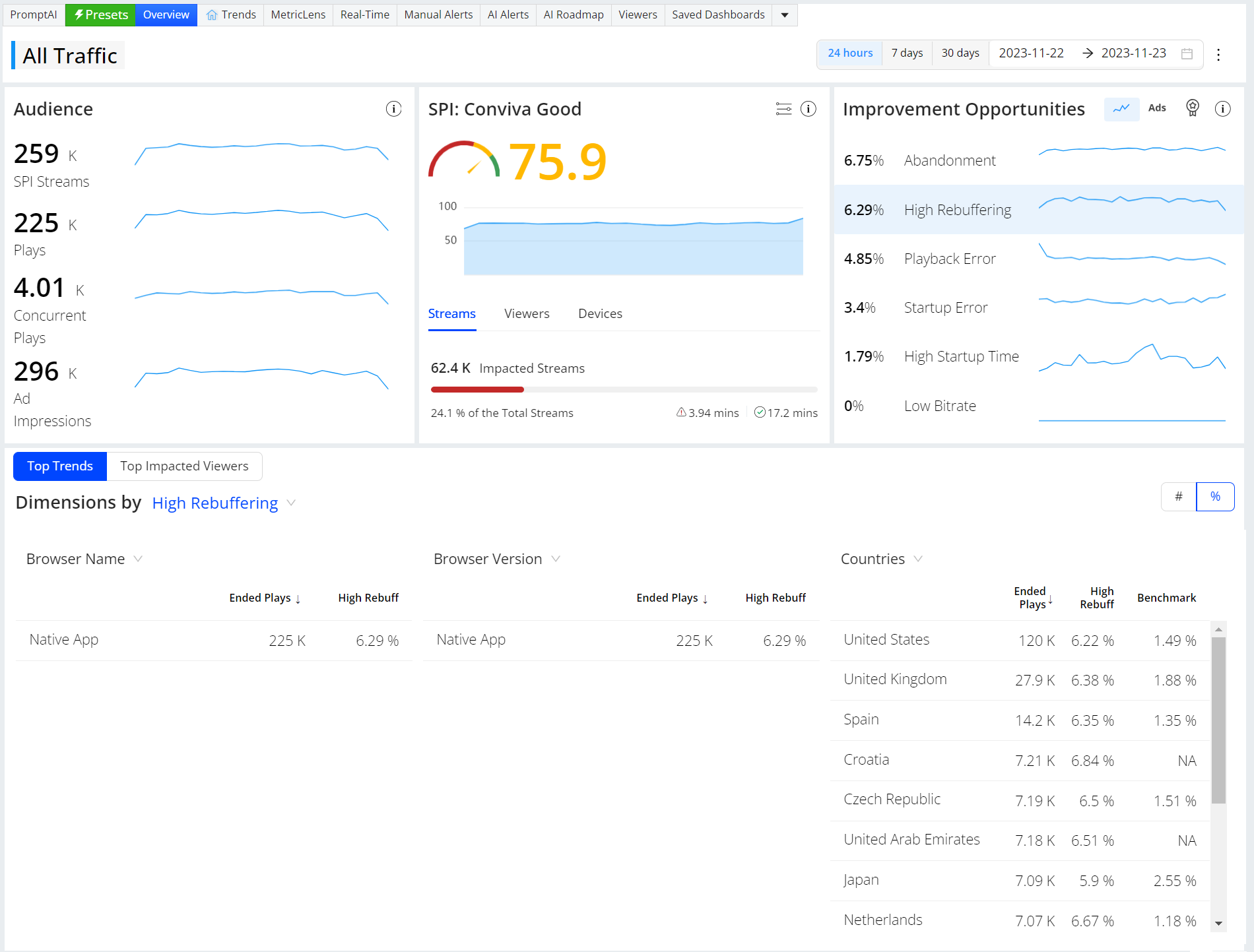
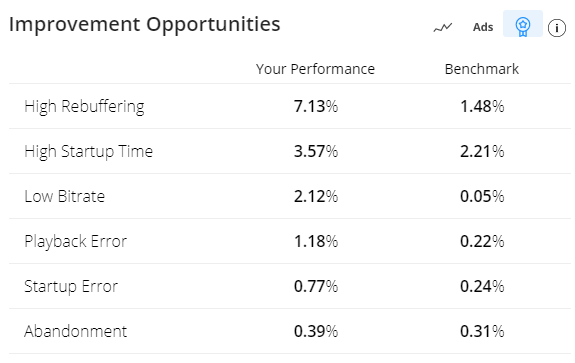
Compare your performance with industry cohort benchmarks based on the 95th percentile of cohort performance, highlighting performance areas where you excel and where to improve.
For information on the basic/advance benchmarks, and benchmark calculations, see Experience Overview.