
DPI Connect enables the scheduled delivery of DPI session data, such as timeline summary, metrics, and metadata for every minutes, identity data based on streamID.
In the data file, the DPI session data fields include metadata, such as viewerID, and metrics (aggregated from event logs), such as Playing Time. The session time span is from the moment the client starts the session until the client terminates the session. The Conviva Connect file contains the snapshot of each session at the end of the day.
| Data Model | Data Source | Data Content |
|---|---|---|
| Sessions |
Content sessions Ad sessions |
All session metrics and dimensions |
| Identity | Curated identity data |
StreamID Link to session and viewer data |
The DPI Connect settings configure the storage location, delivery frequency, and simple transformations of your content, ad, and identity data. Supported data storage destinations, such as databases, data lakes, and data warehouses, include Google Cloud Storage(GCS), Amazon S3 storage, and SFTP.
What's New in Connect
January 09, 2025
- Enhances the metric names in the Session details page depending on the customer type. For example,
-
Video-only customers see the metrics labeled as "Video Start Time", "Video Restart Time", and "Video Restart Count".
- Stream-only customers see the same metrics labeled as "Stream Start Time", "Stream Restart Time", "Stream Restart Count".
Shows the Default Resource in the Required Metadata section. It is collected from the raw heartbeat.
Introduces a new icon to export session summary in the PDF format by clicking the Export to PDF icon at the top-right corner.
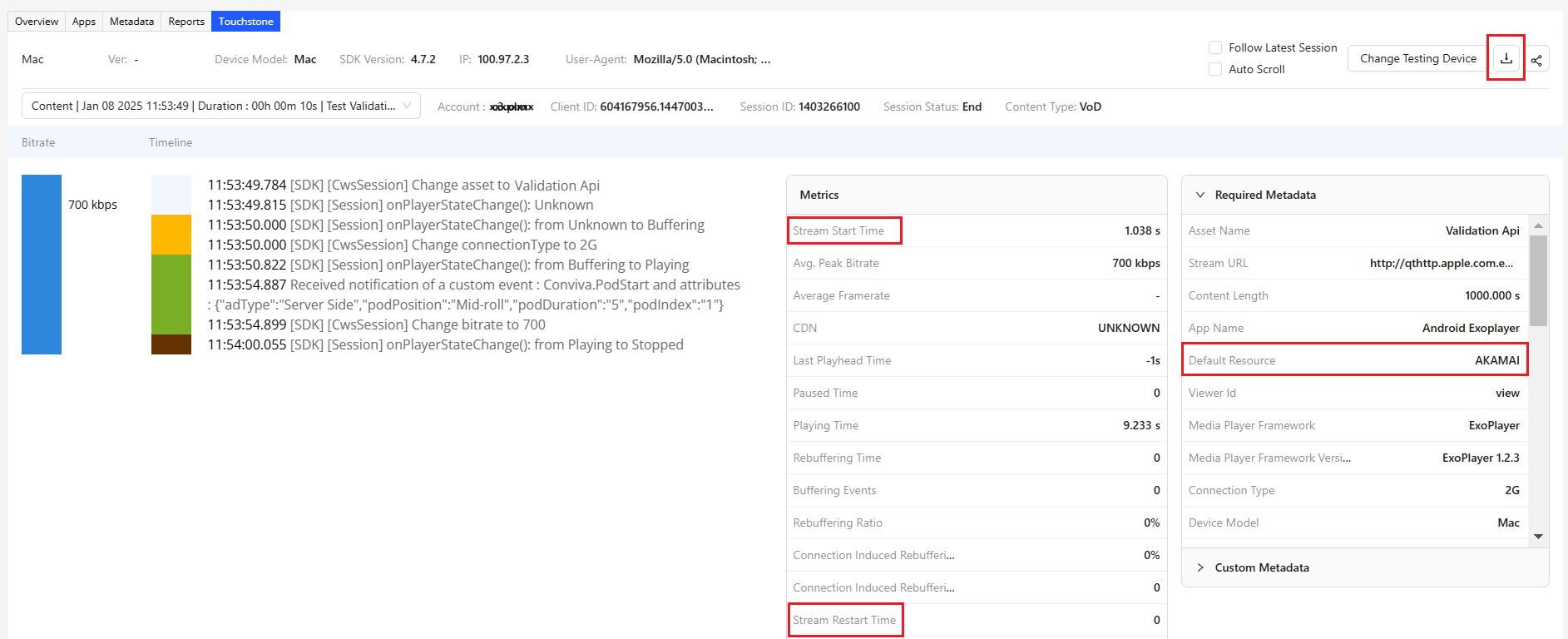
For more details about exporting session summary in the PDF format, see the Session Summary topic in the Conviva Docs.
October 24, 2024
Introduces date picker in the Available Devices page to filter the list of available devices based on a date range.
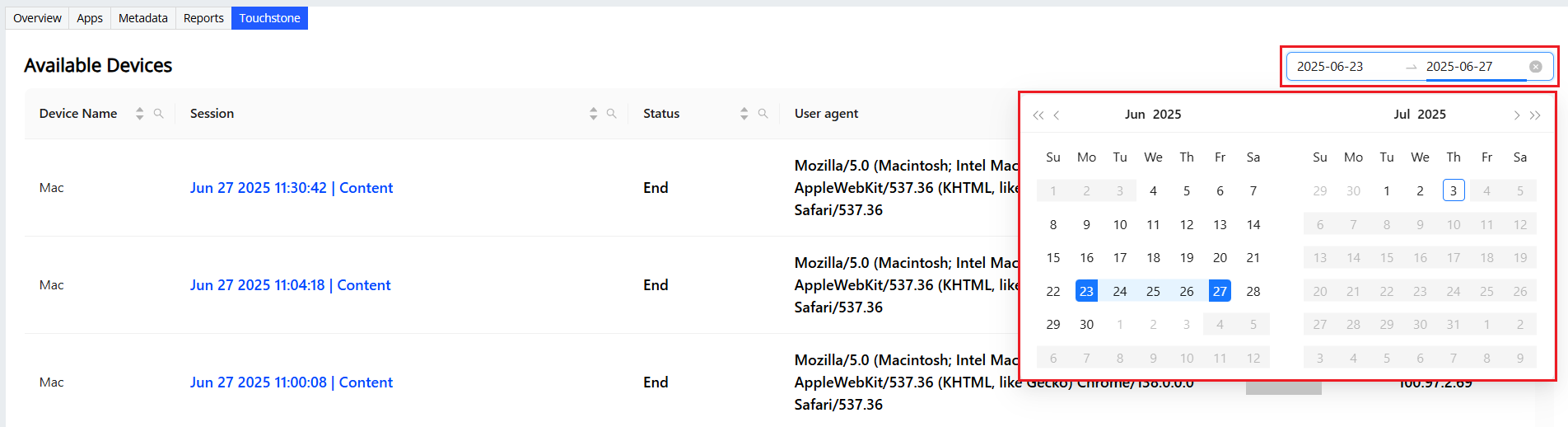
For more details using the date picker to filter the available devices, see the Available Devices topic in the Conviva Docs.
Apply these advanced use cases to discover the value of Connect data feeds.
dropdowns
Feature Videos
|
AI Alerts Diagnostics |
Real-Time Dashboard |
|
Secondary Filters |
Impacted Viewers |