
After setting up DPI Integration into the application, you need to execute the test cases by following the instructions for a selected platform.
The Testing Steps tab shows platform-specific test cases. Expand each test case to see the instruction and the expected behavior. In the application, you need to simulate the test instruction and verify whether the test result is matching with the expected behavior.
The Available User Timeline panel shows the time of occurrence of the latest event, application name, device name, user ID, and client ID.
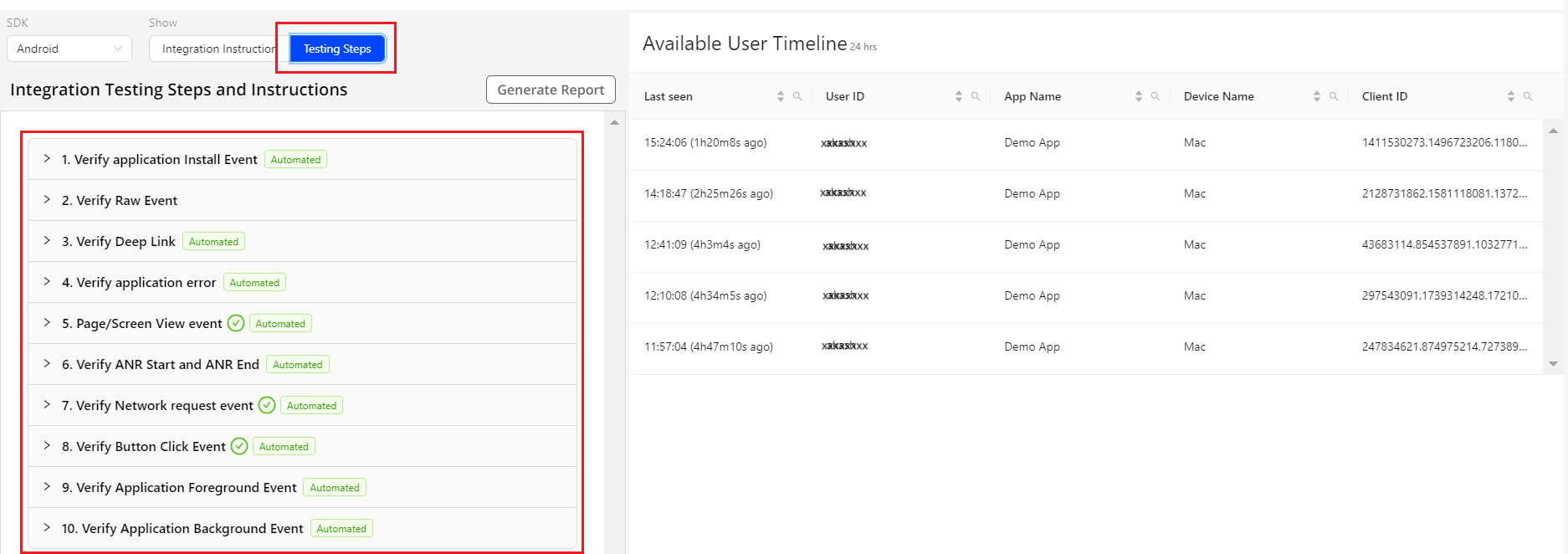
Executing Test Cases
Perform the following steps to execute the test cases for DPI Integration:
Click the Testing Steps tab to see the list of test cases.
Expand each test case to see the instruction and expected behavior.
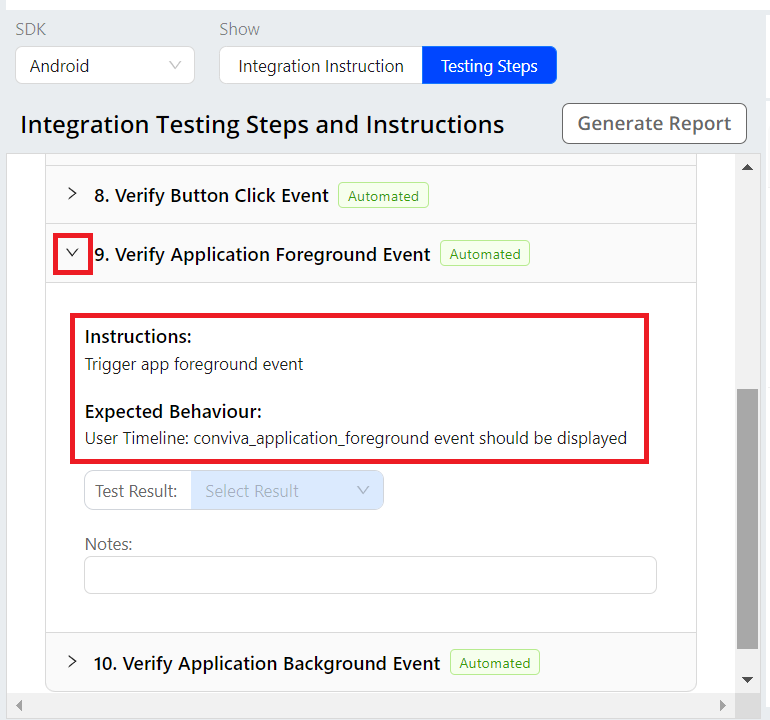
Simulate the test case in the application by following the instruction.
Previous Step
- Integrating DPI Sensor to Application
Next Steps
- Verifying Events in User Tmeline
- Generating Reports
Other Links
- FAQ